

How to Configure Cloudflare Turnstile for Registration and Post Form
Cloudflare Turnstile is a CAPTCHA alternative that protects your forms from spam and abuse while maintaining user privacy. You can easily integrate Turnstile with the WP User Frontend plugin to enhance the security of your forms. Here's a step-by-step guide to setting it up:
Enable Cloudflare Turnstile CAPTCHA in WP User Frontend Plugin
1. Log in to your WordPress admin dashboard.
2. Navigate to WP User Frontend > Settings > General options
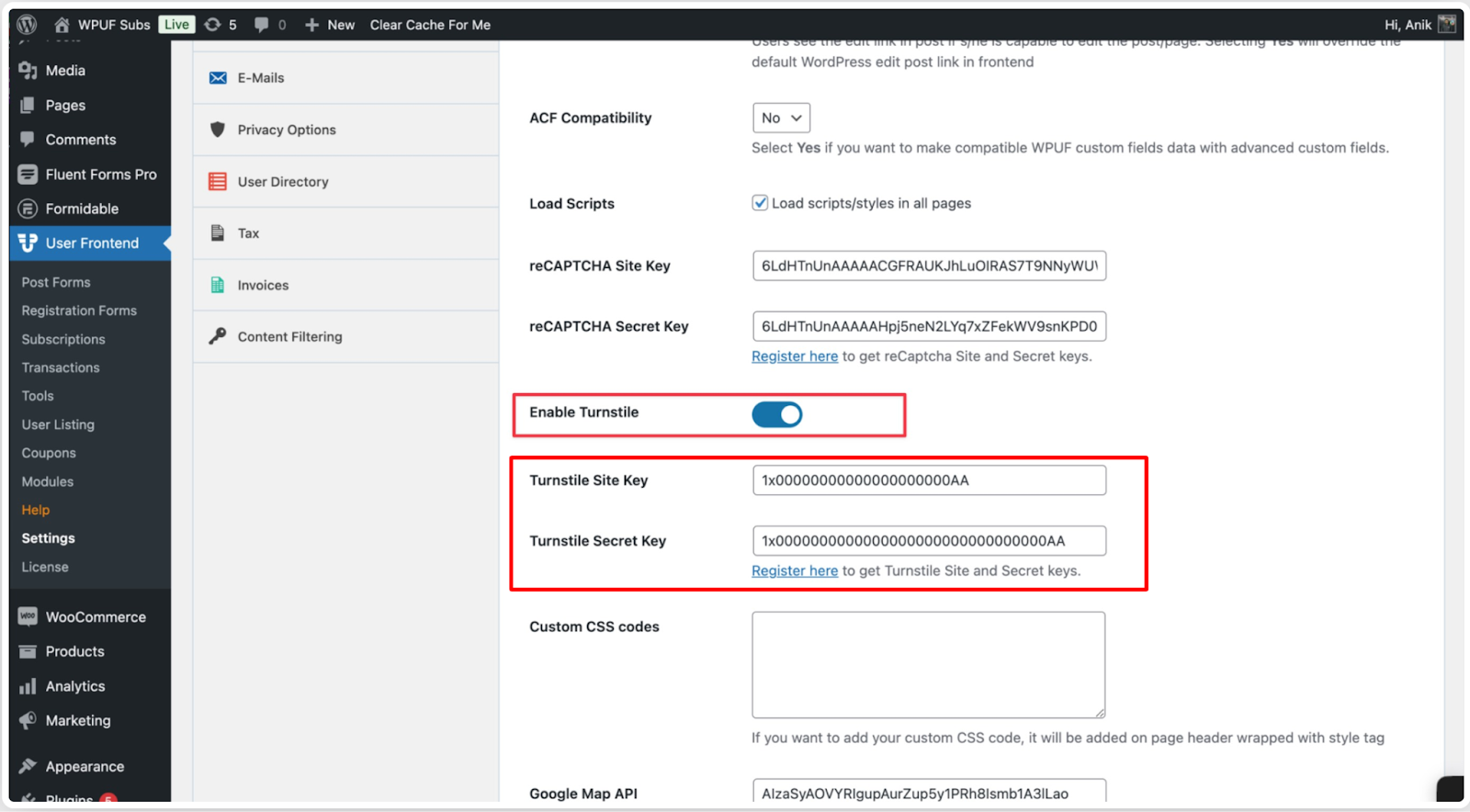
3. Paste the Site Key and Secret Key obtained from Cloudflare into the respective fields.
4. Save your changes by clicking the Save Settings button.
How to Add Turnstile to Specific Forms:
-
Navigate to WP User Frontend > Registration Forms.
-
Edit the form where you want to add the Turnstile field.
-
In the Form Builder, add a new CAPTCHA field.
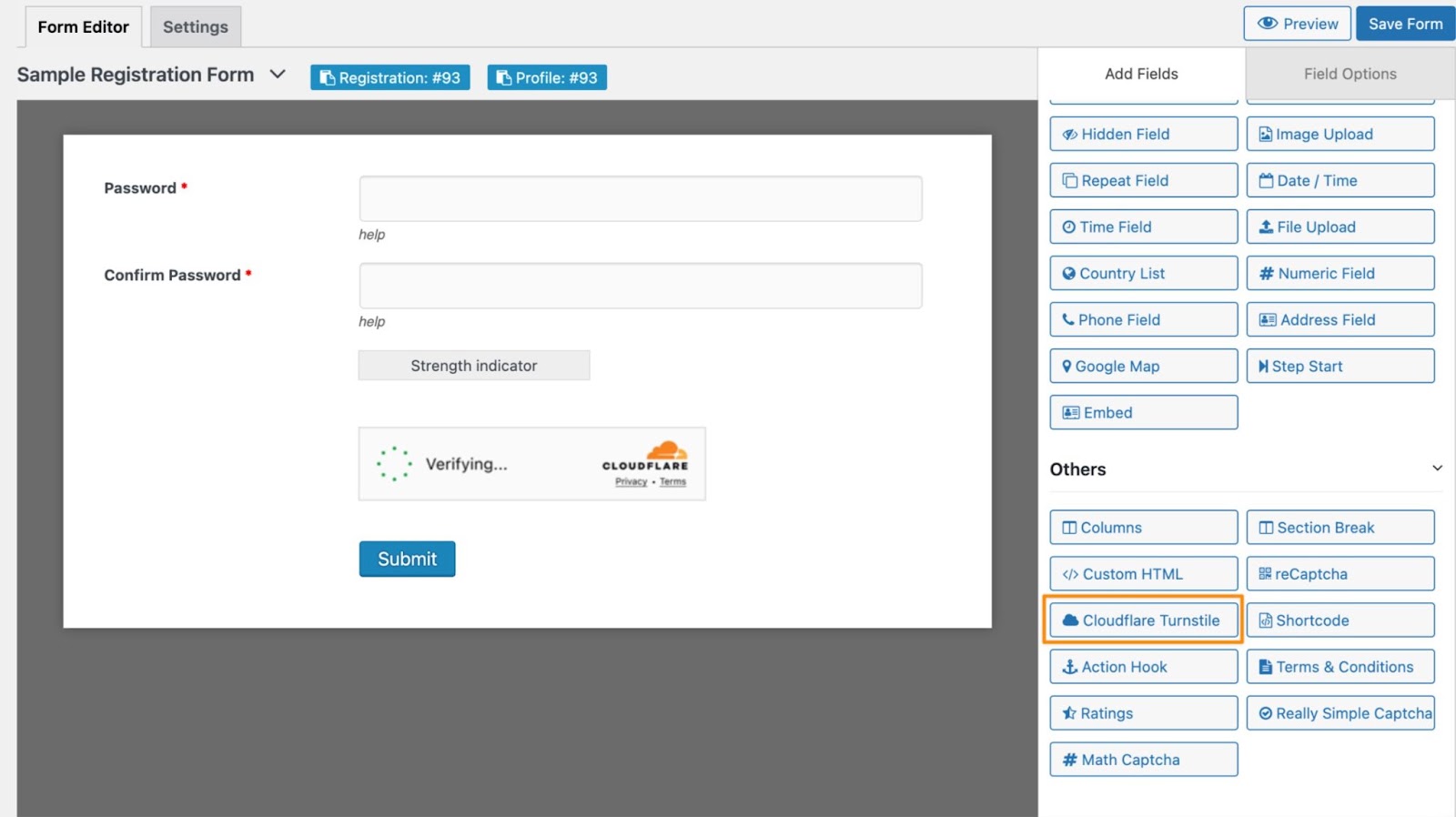
- Configure the Cloudflare TurnstileCAPTCHA field:
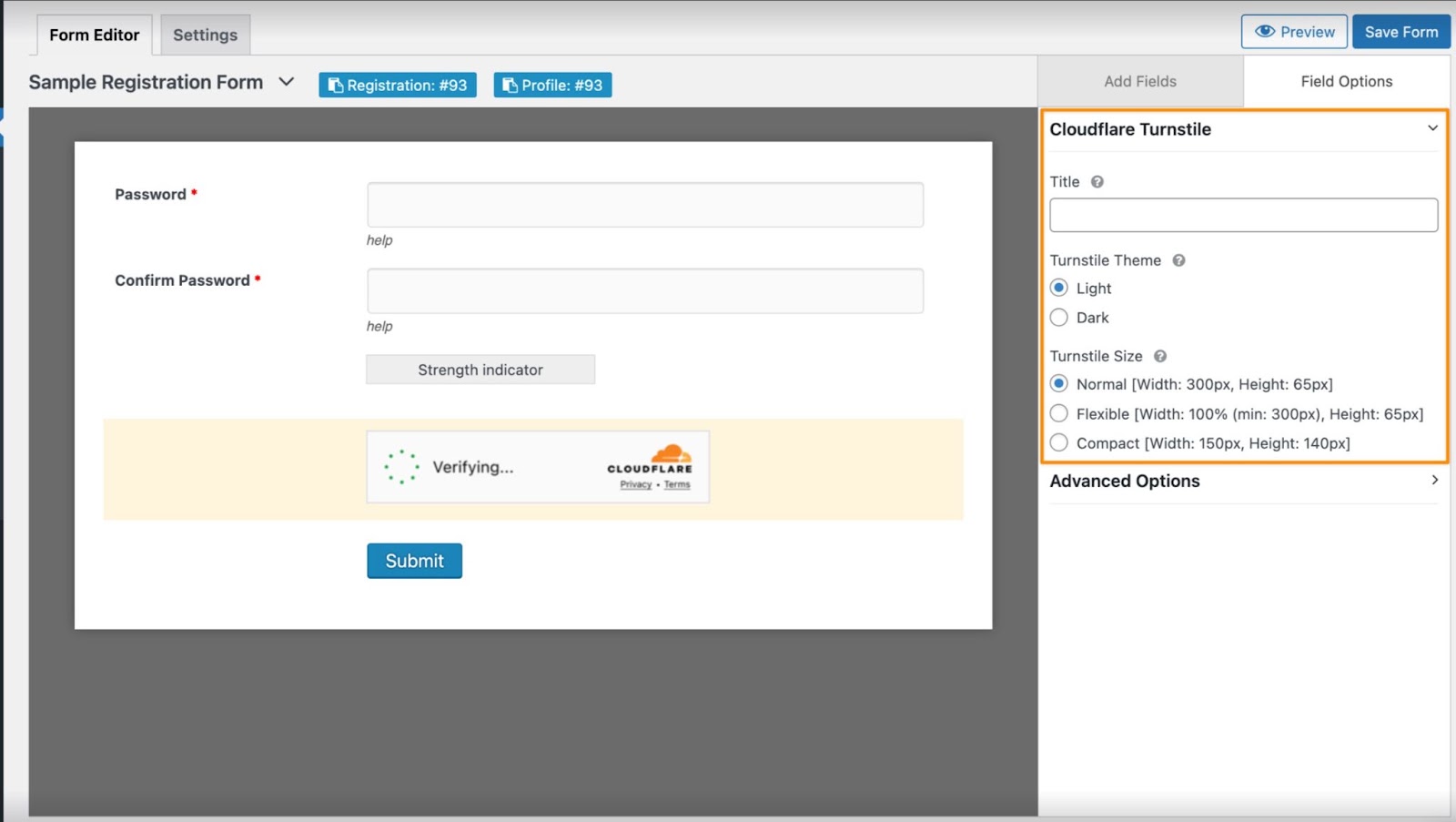
In the turnstile field option, you can set the title, change the theme, and set the size based on your preferences.
- Save the form to apply the changes.
Frontend:
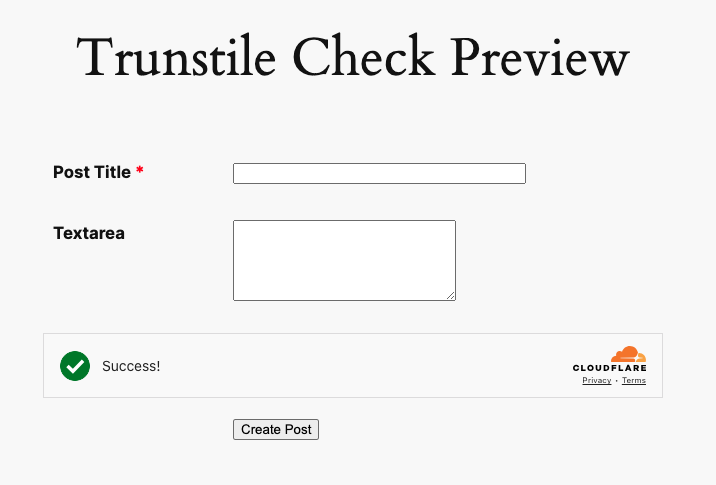
That’s it.