

How to Manage Projects from the Frontend
With the WP Project Manager, you can manage your projects from the frontend. Using this feature, your users will be able to view your projects from the frontend and they won't need any access to the backend of your website.
To use this feature you will need to PM Frontend After that, you will be able to see the frontend.
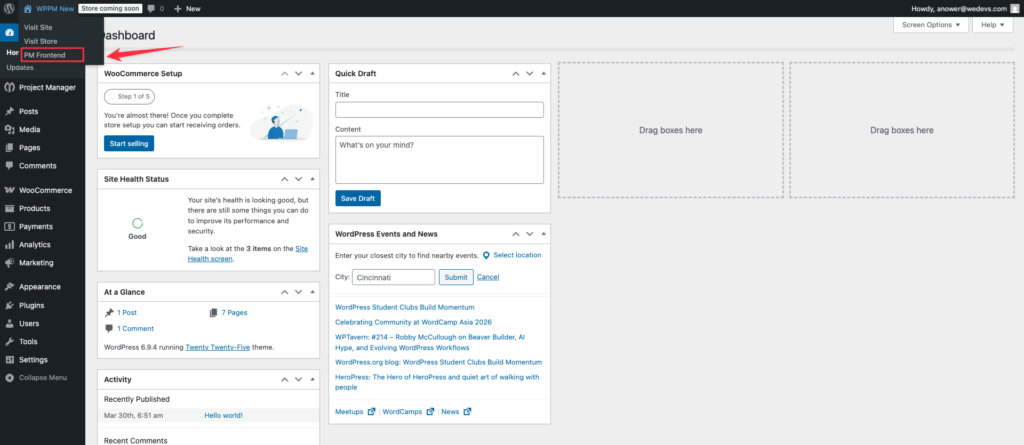
Now, if you go to the front end of your website, you will be able to see the projects like this:
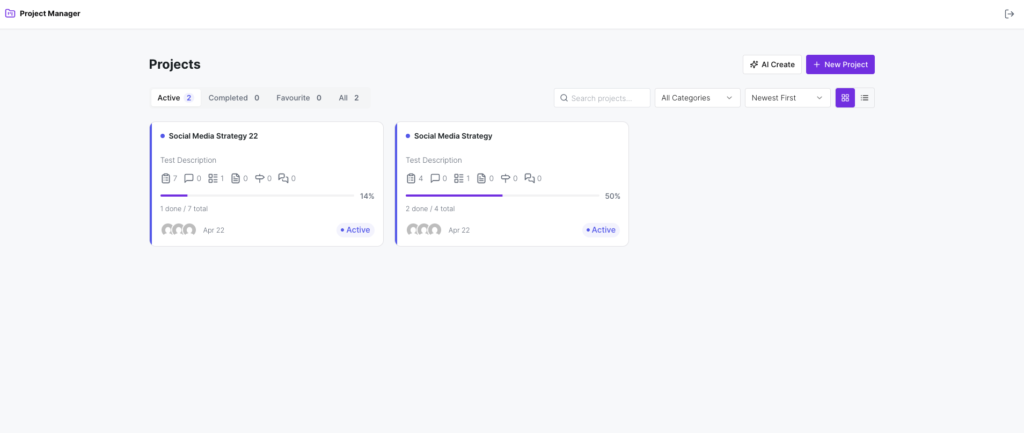
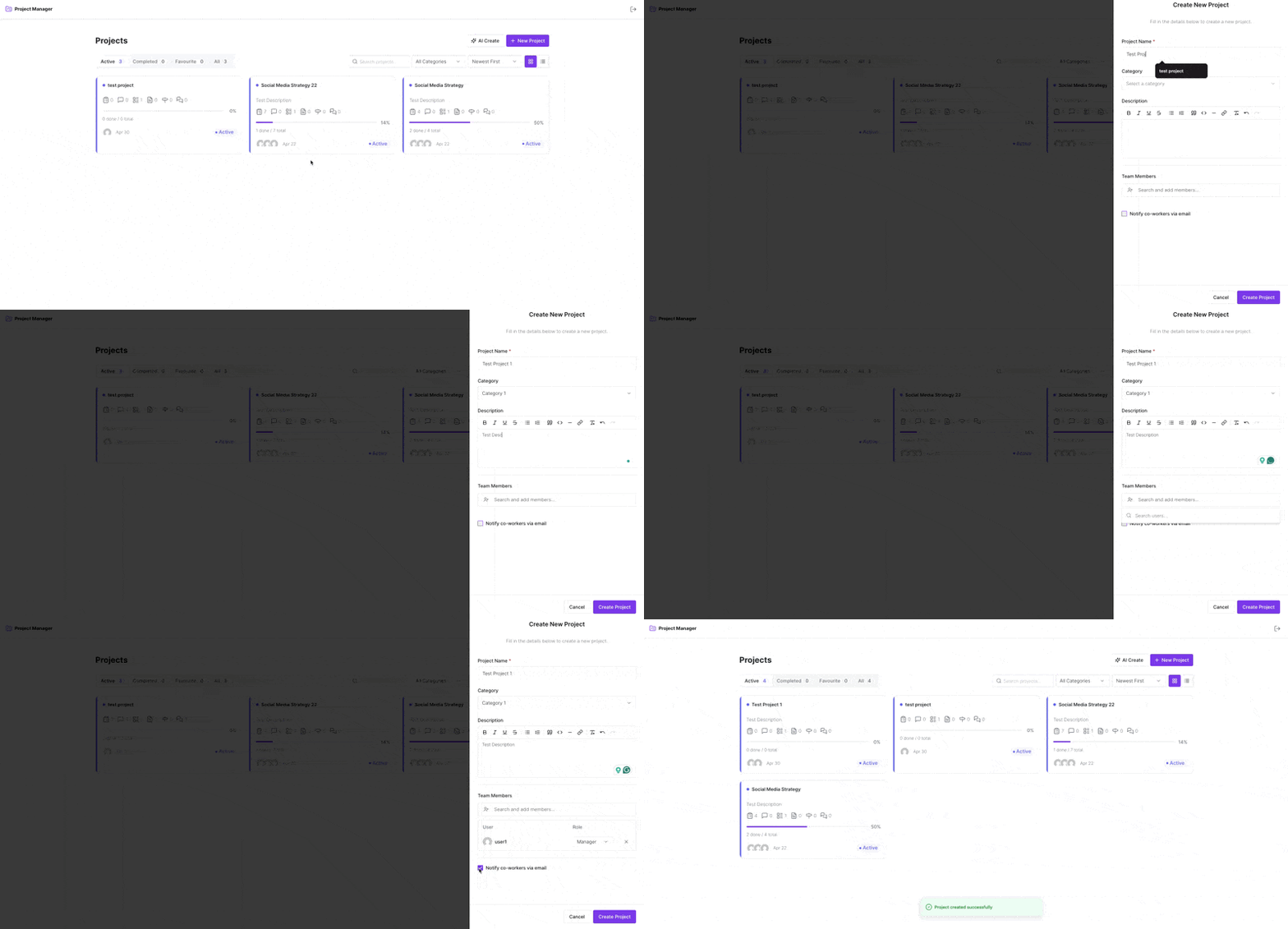
Projects: Like managing from the backend, you along with your allowed users will be able to create and manage projects from this frontend interface.
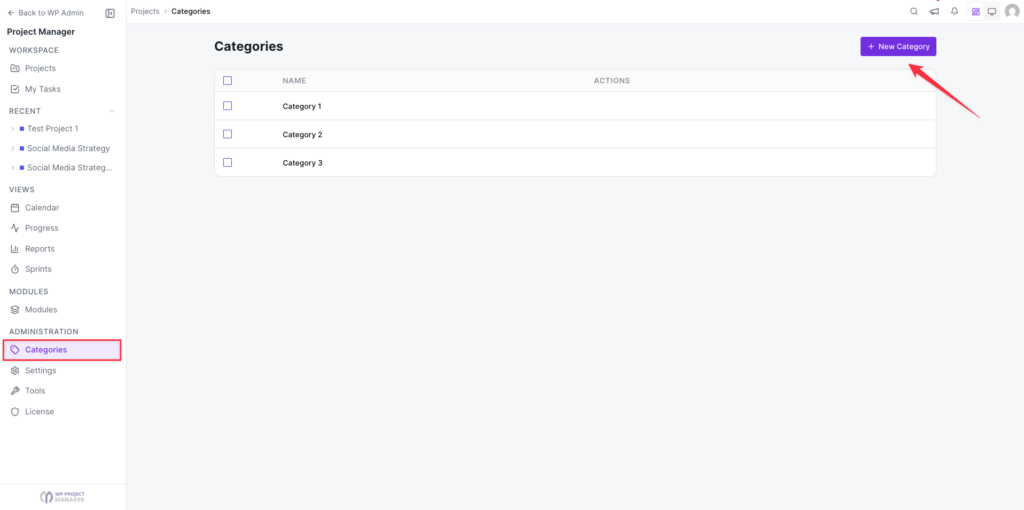
Categories: From this tab, you will be able to create categories and give an appropriate description. You will also be able to view the existing categories from this page. Learn more about categories.
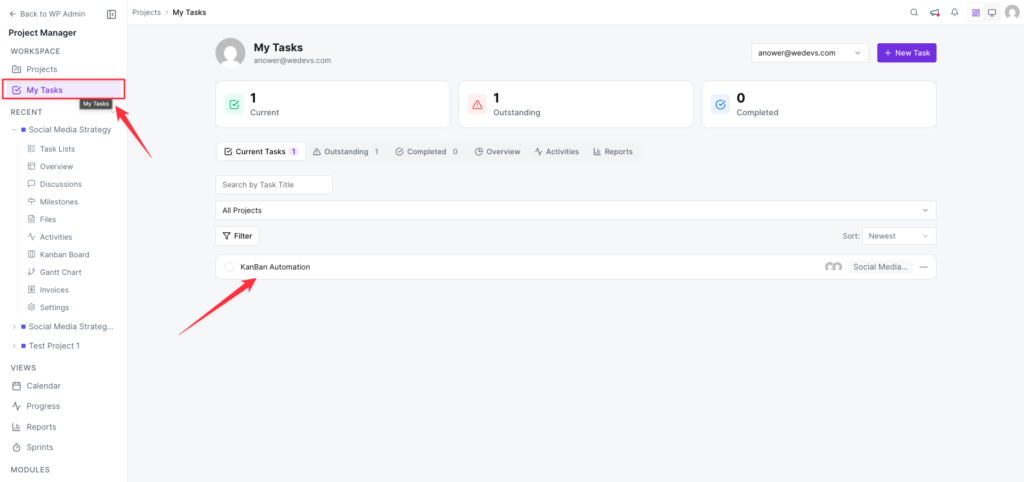
My Task: Use this tab to know what tasks you are assigned to. Here, you will get the other My Task tabs, such as Overview, Activities, Current Task, Outstanding Task, and Completed Task. Learn more from here.
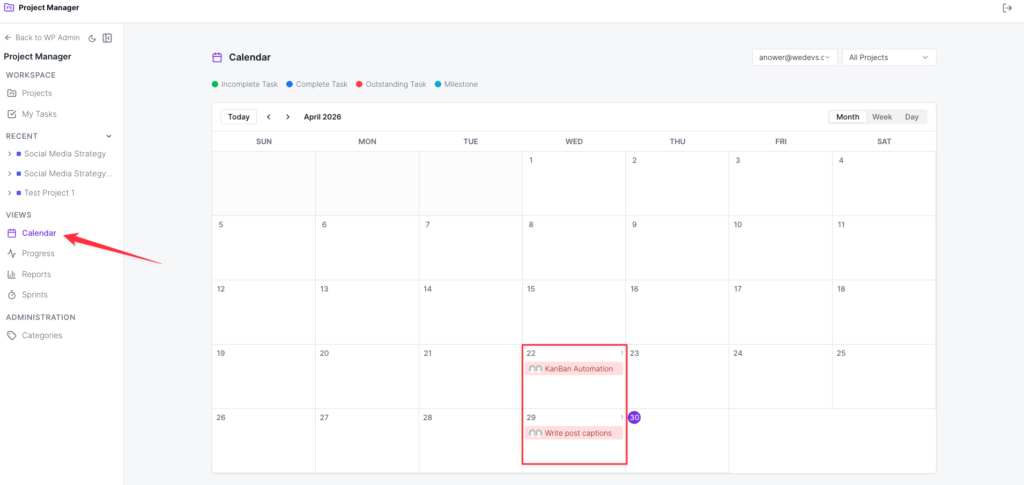
Calendar: This tab will help you get the overview of your projects from the calendar view. Learn more about this tab.
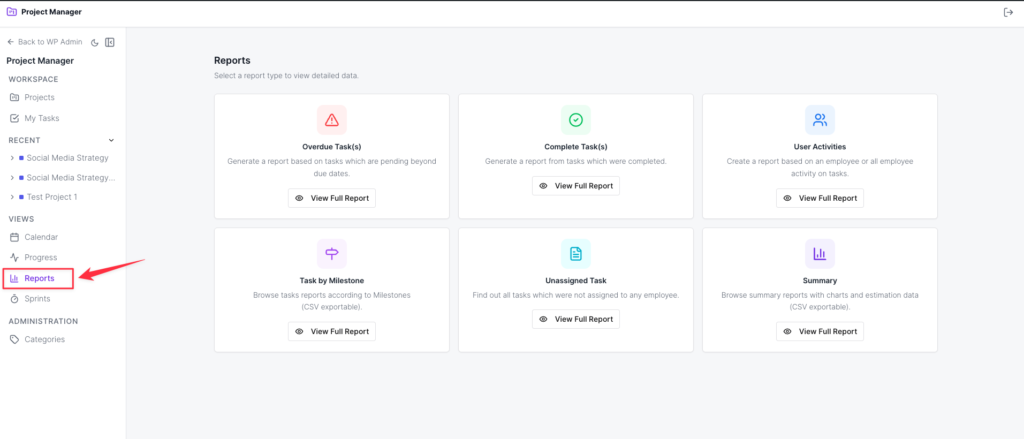
Reports: This tab will take you to the report page. Here you will get reports on various tasks like overdue tasks, completed tasks, user activities, project tasks, and many more. Learn more about reports from here.
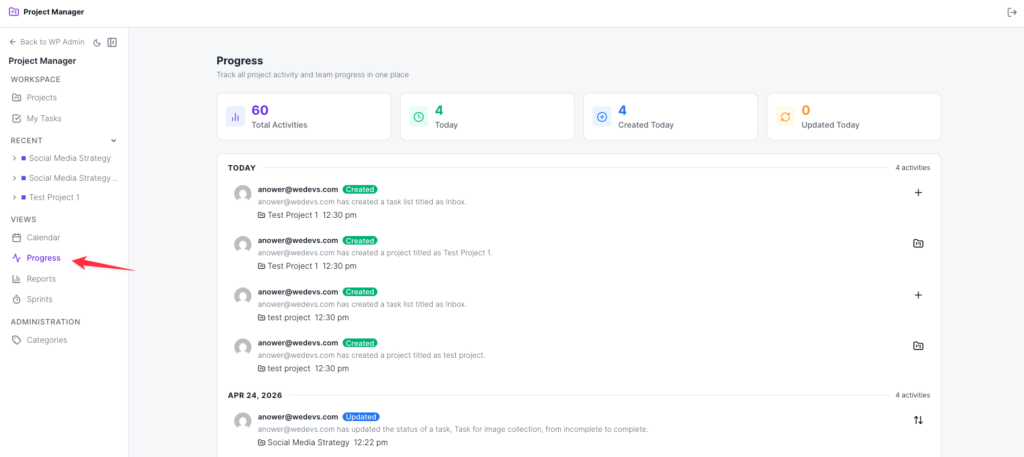
Progress: Use this tab to know the overall progress of your projects. Learn more about Progress from here.
That's all about managing projects from the WP Project Manager frontend. Now you can easily manage your tasks.
You can check out this video.