
Configuring GitHub
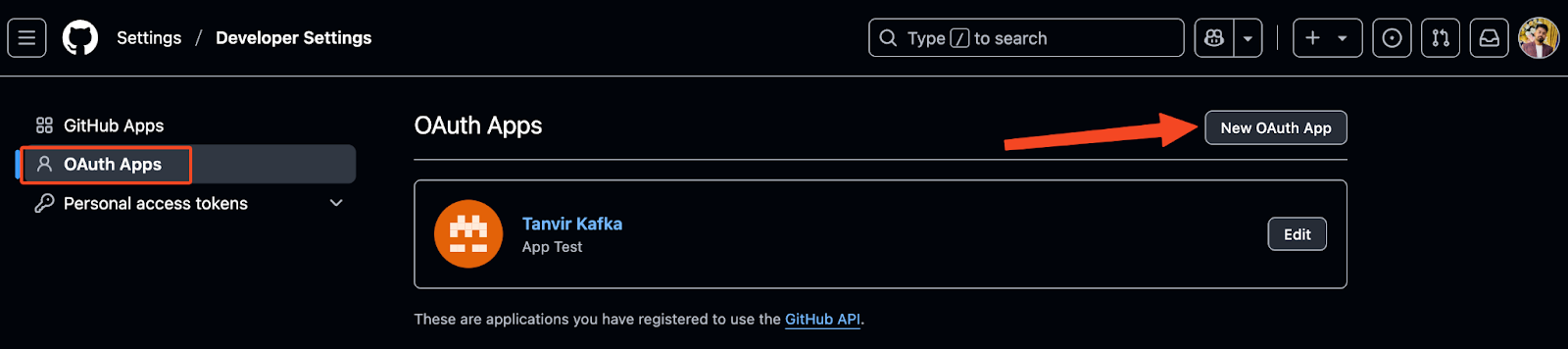
To configure GitHub registration/login, you’ll need to create an OAuth App from your GitHub account. https://github.com/settings/developers
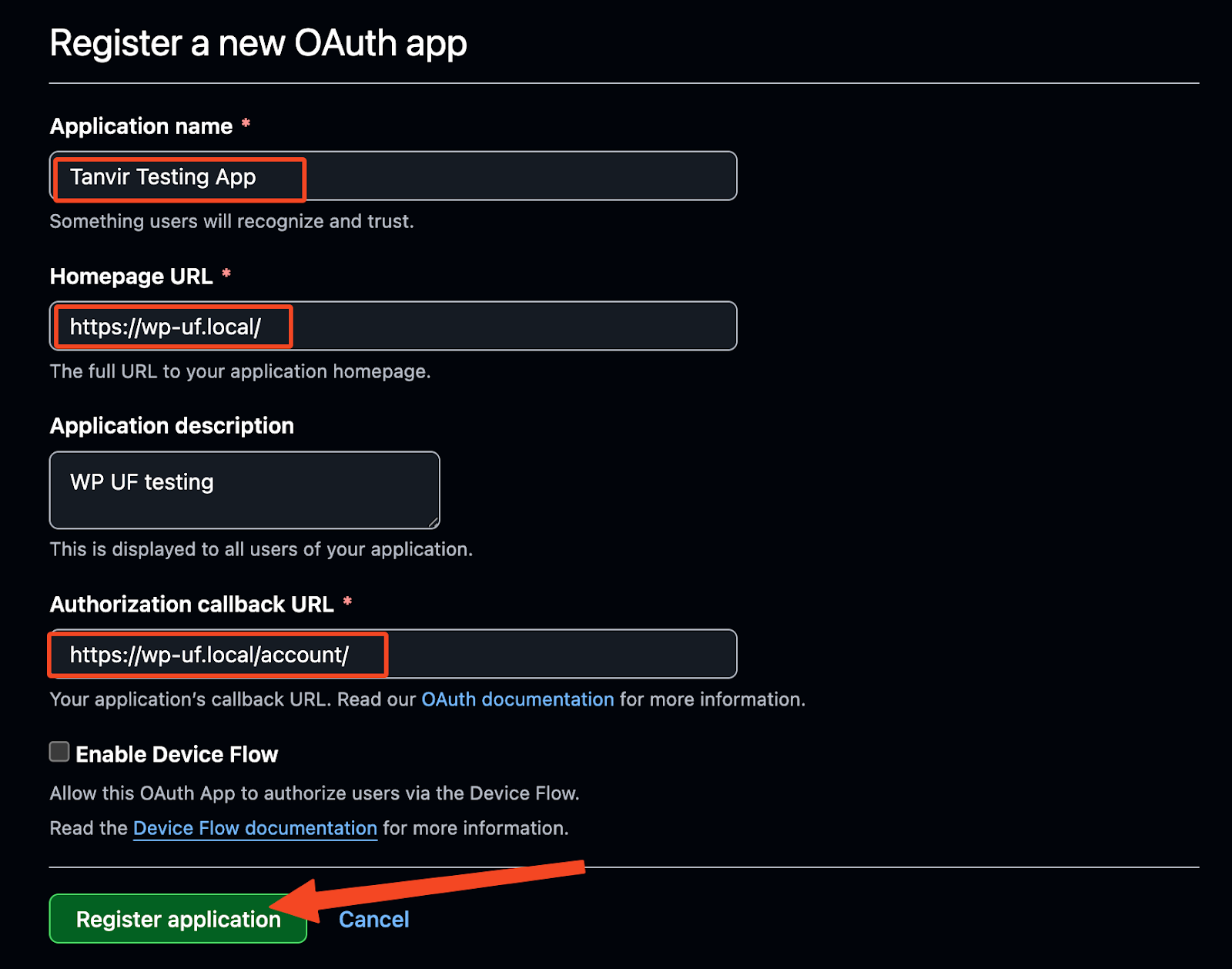
Fill in the details of your app.
- Application name: Your site’s name (e.g., My WP Site Login)
- Homepage URL: Your website URL (e.g., https://example.com)
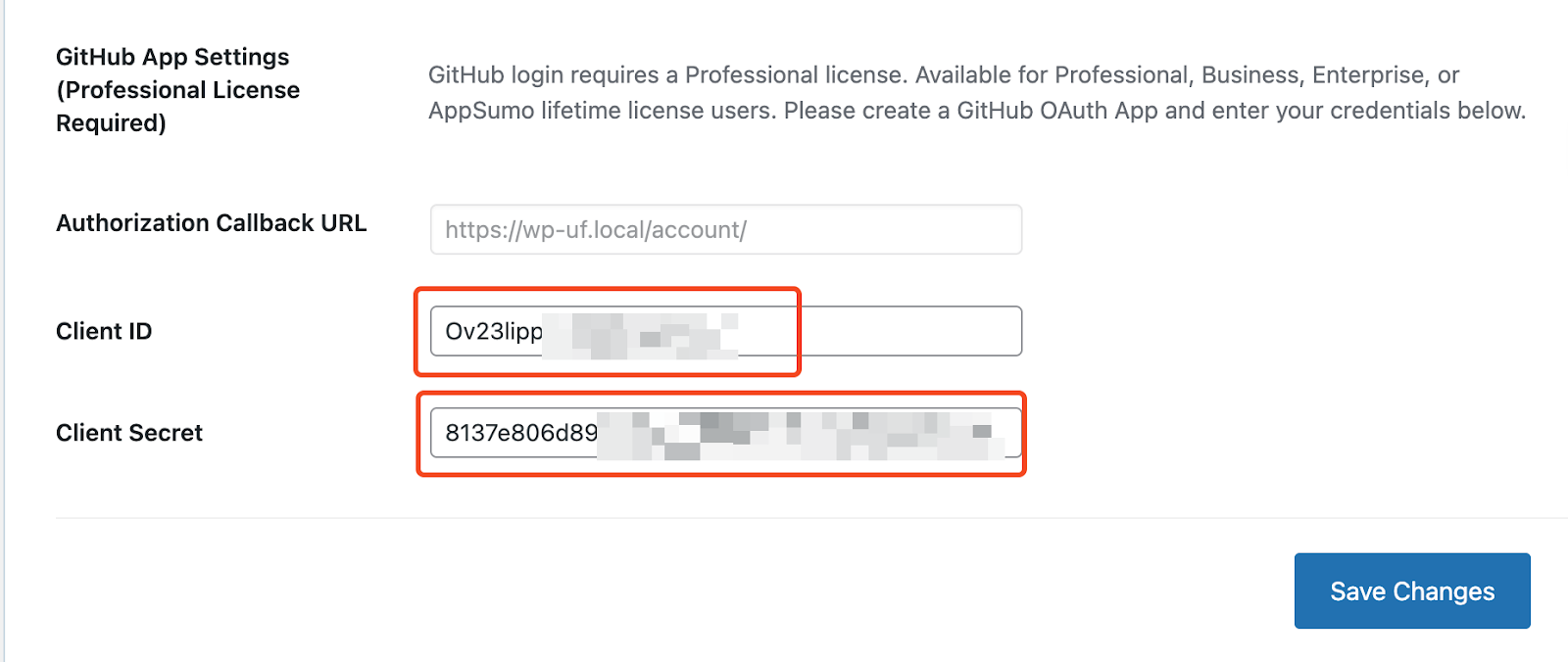
- Authorization callback URL: Copy the Authorization Callback URL from WP User Frontend's GitHub App Settings (from your screenshot, it’s something like https://yourdomain.com/account).
Click Register application.
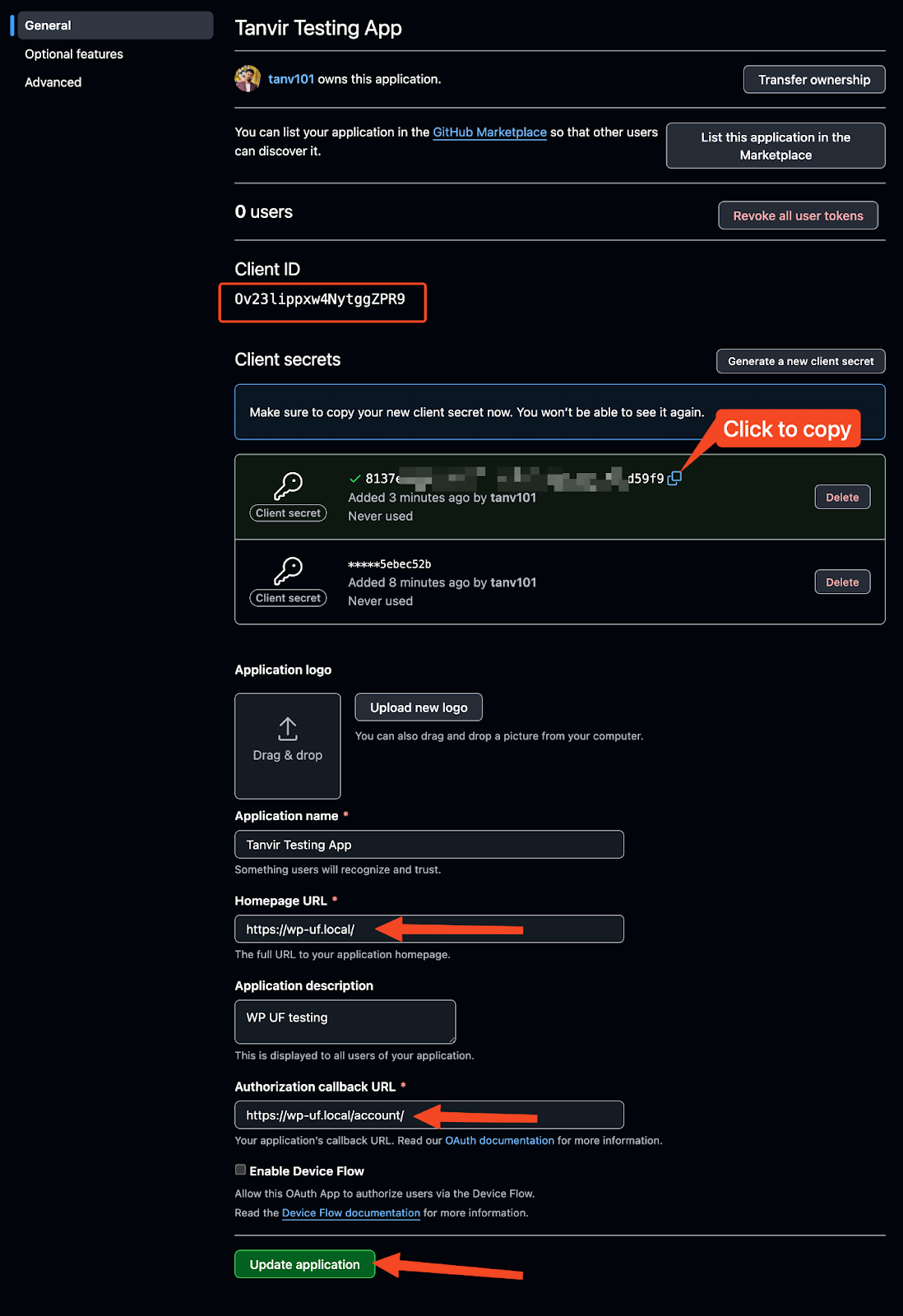
Once registered:
- You’ll get a Client ID immediately.
- Click Generate a new client secret to get your Client Secret.
Now click to Update Application if you have changed/updated any information.
From your WP Admin dashboard:
-
Go to User Frontend → Settings → Social Login.
-
Scroll to GitHub App Settings.
-
Paste:
- Client ID → from GitHub
- Client Secret → from GitHub
-
Save changes.
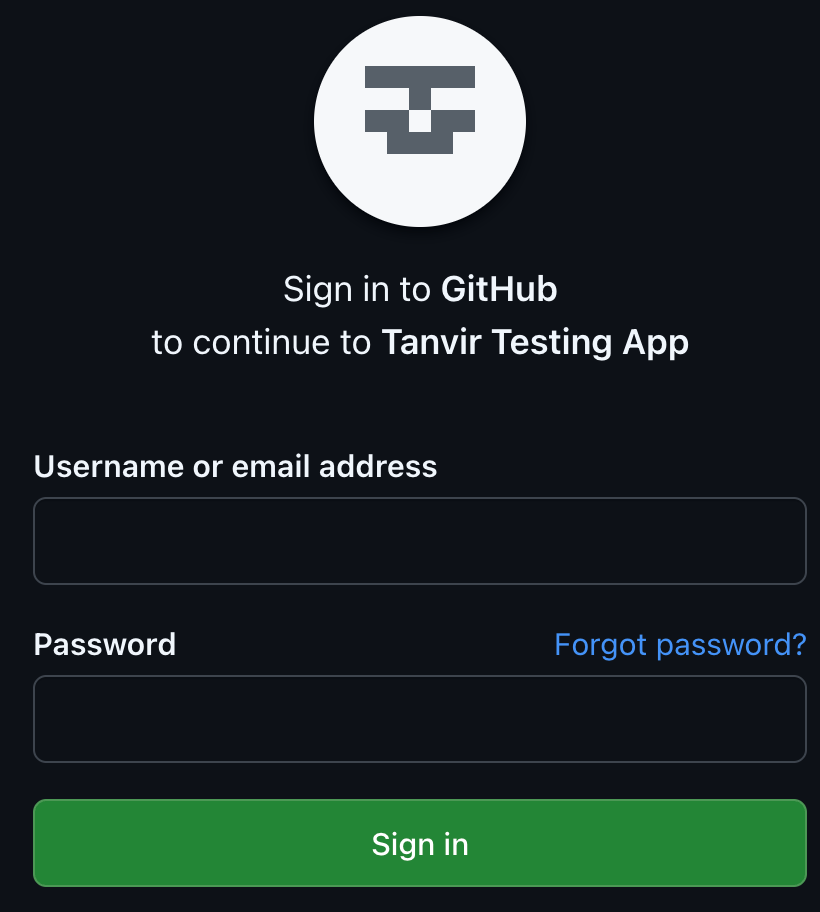
Now navigate to your registration page and sign in with GitHub.
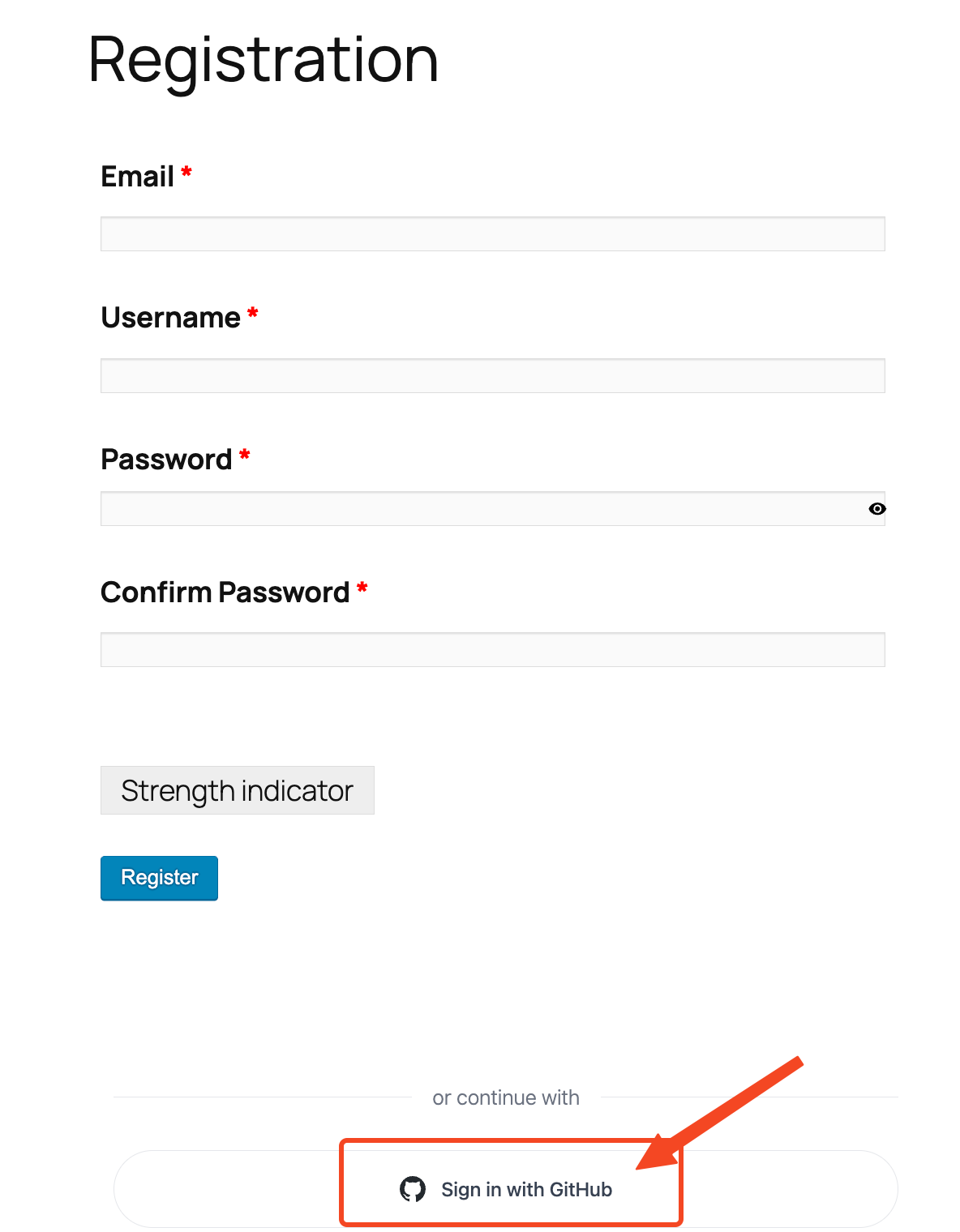
You will be redirected to the GitHub Sign in page. That’s it for today, folks.