
Menu Restriction
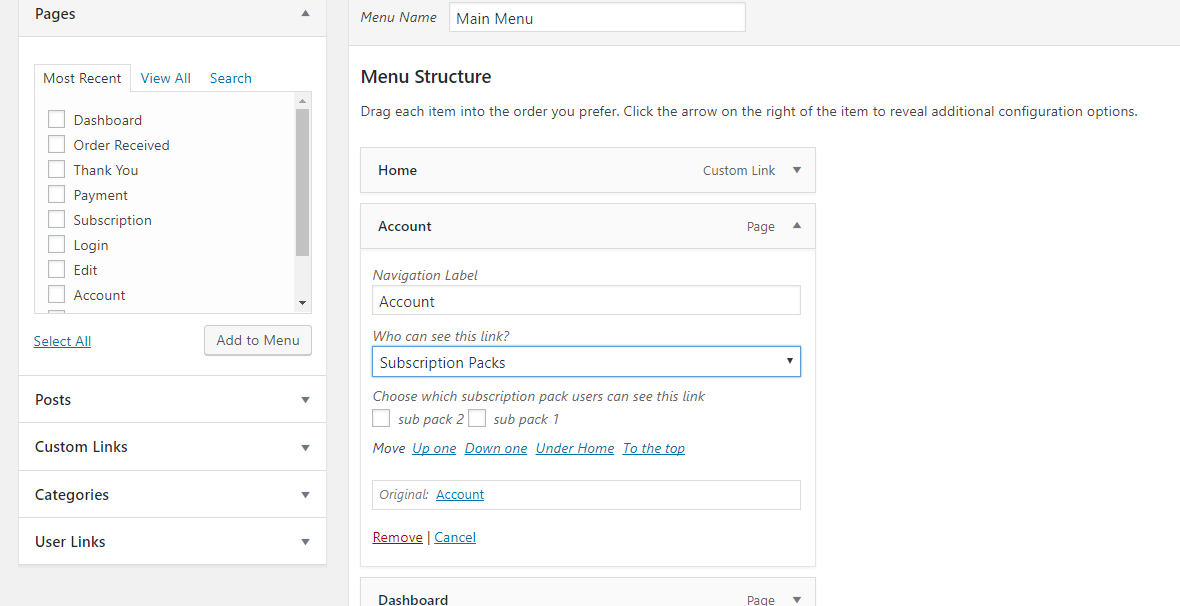
Menu restriction adds four options to each menu.
- Everyone
- Logged Out Users
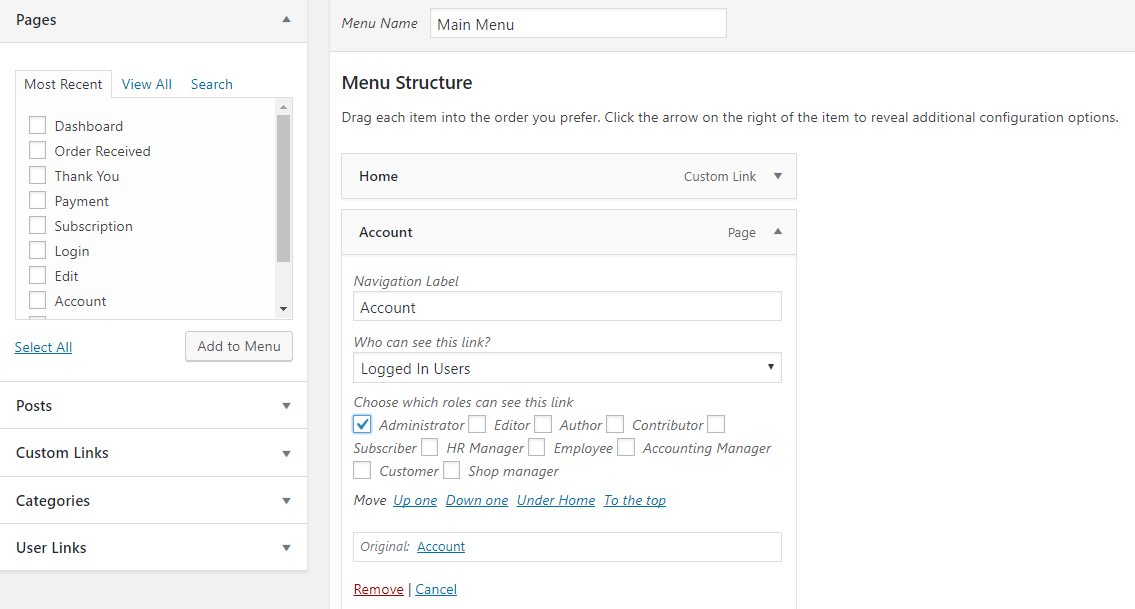
- Logged In Users
- Subscription Packs
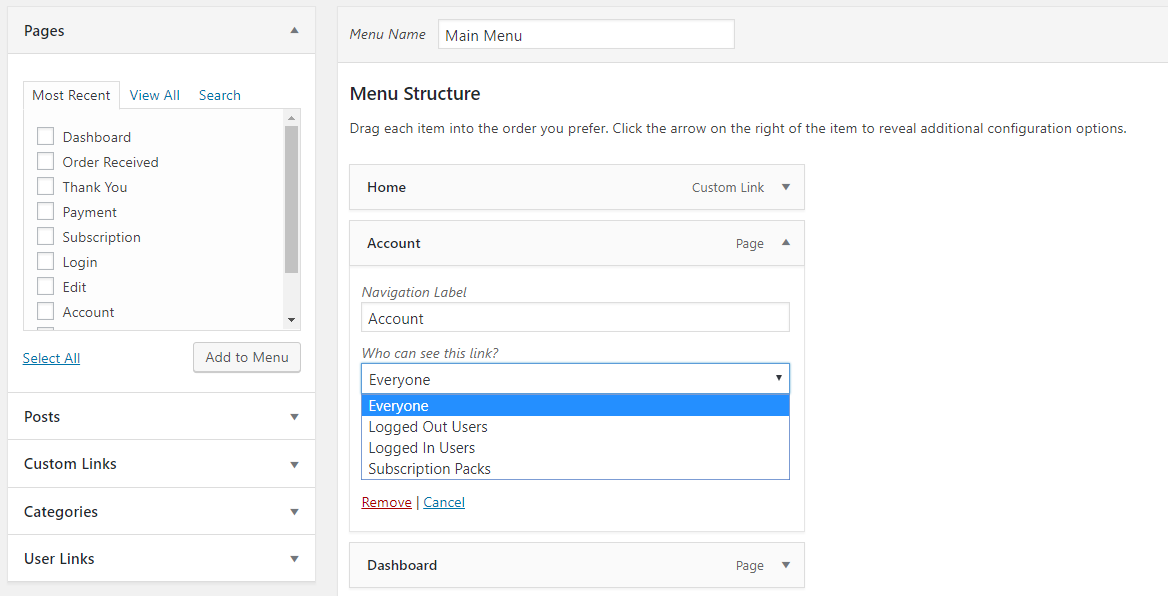
- When the “Everyone” option is selected, then no restriction is applied. All menus are shown to all users, whether they are logged in or logged out, have subscription packs or not, etc.
- “Logged Out Users” option restricts menus to all logged-in users. That means menus are visible to only those users who are not logged in.
- The “Logged In Users” option restricts menus to logged-in users who are not logged in. That means menus are visible to only those users who are logged in. The restriction is designed based on user roles. If “Administrator” is selected, then users with only the Administrator role will see the menu.
- Subscription Packs” option restricts menus by subscription packs. Suppose we have two subscription packs: sub pack 1 and sub pack 2. If sub pack 1 is selected then only those users who have subscribed to sub pack 1 will be able to see the menu. It will be restricted to other users who don’t have any subscription packs or no subscription packs.