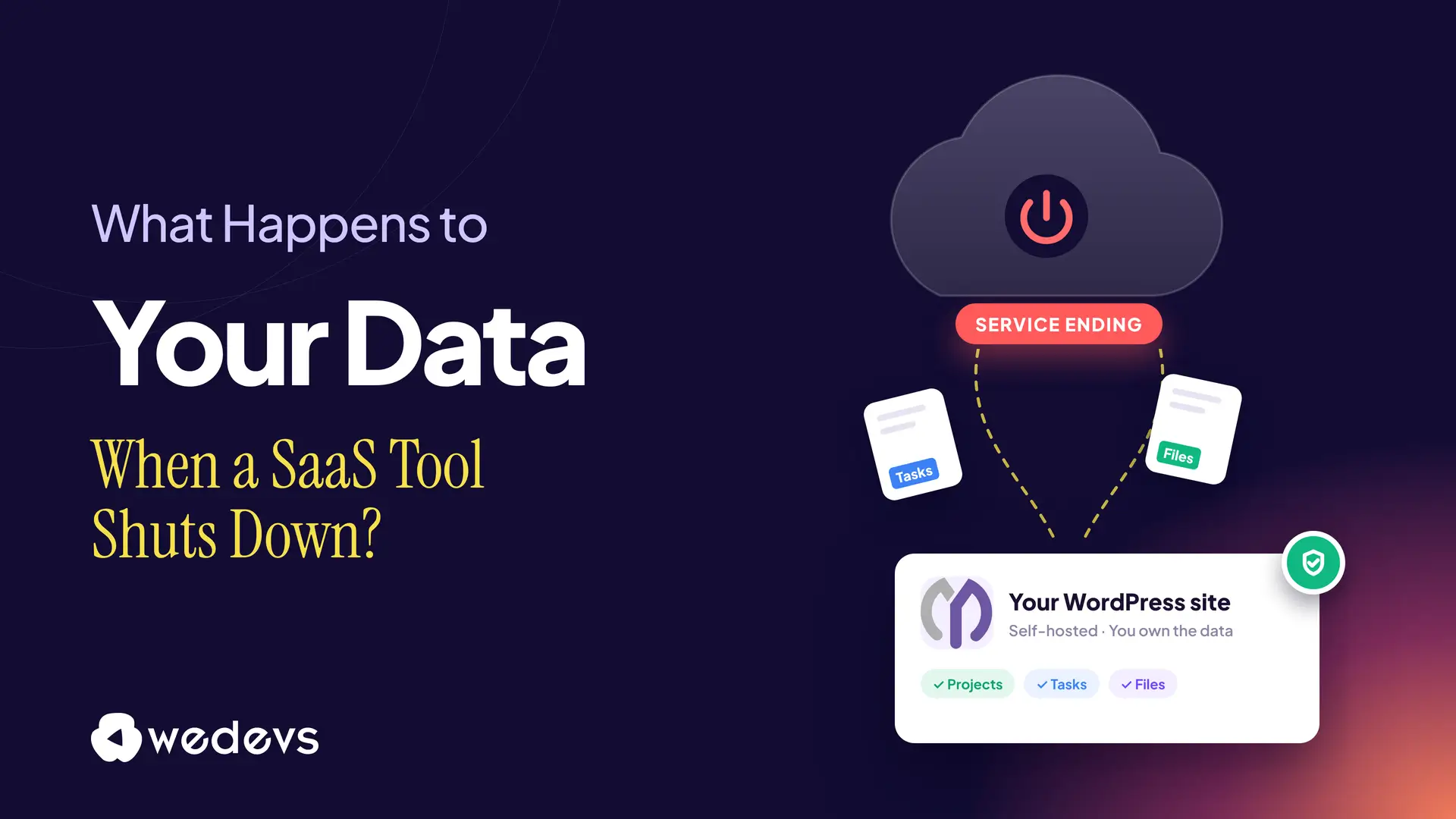
Your team runs on its project management tool. Every task, deadline, client comment, and file lives there. Now imagine an email arrives: "We're shutting down. You have 90 days to export your data."
It sounds unlikely, but it happens more often than most teams expect. Popular SaaS tools close, get bought, change their plans, or drop features all the time. When that happens, you don't decide what happens to your data. The vendor does.
In this post, we'll explain what happens to your data when a SaaS tool shuts down, why project data is especially hard to move, and how to protect your team. Finally, we'll show why a self-hosted option like WP Project Manager keeps your projects safe for the long run. Let's begin!
SaaS Tools Do Shut Down, Even Popular Ones
Shutdowns aren't limited to small startups. Big companies retire tools too, and millions of users have had to move their data on someone else's schedule. Here are three well-known examples:
| Tool | What it was | What happened |
|---|---|---|
| Wunderlist | A popular to-do and task app | Microsoft announced the shutdown in December 2019. On May 6, 2020, it stopped syncing, and users were asked to import their lists into Microsoft To Do. |
| Google Jamboard | A digital whiteboard for teams | The app was discontinued on December 31, 2024. All Jam data was deleted that day, so users had to export their files before then. |
| A save-for-later app by Mozilla | Mozilla announced the shutdown in May 2025 and closed the service on July 8, 2025. Users could export until October 8, 2025, when accounts were deleted. |
These users got warnings and export tools. That's the good case. Still, they all had to stop what they were doing, move their work, and rebuild their habits in another app.
What Happens to Your Data When a SaaS Tool Shuts Down
Every shutdown is different, but most follow the same stages.
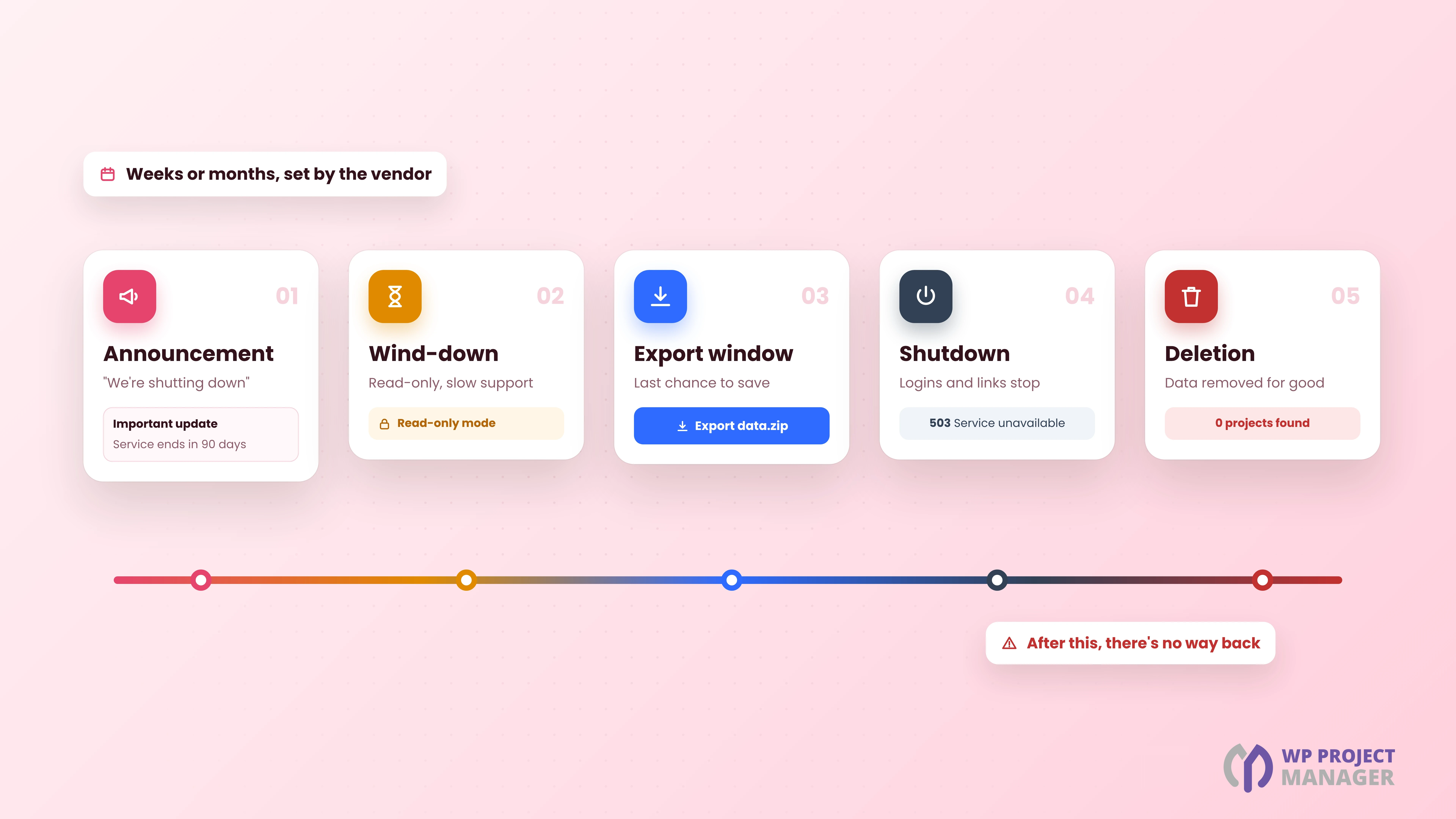
1. The Announcement
The vendor emails users and posts a notice. The notice period can be months, weeks, or, in the worst cases, days. Some services stop taking new sign-ups or payments right away.
2. The Wind-Down
The app may still work, but fewer people work on it. Bugs stay unfixed, support gets slow, and some services switch to read-only mode, so you can see your data but not change it.
3. The Export Window
This is your last chance to get your data out. You usually get a ZIP of CSV or JSON files, or an import path to the vendor's other product. Anything you don't export in time is gone.
4. The Shutdown
The service goes offline. Logins stop working, shared links break, and integrations with other tools fail without warning.
5. The Deletion
Finally, the vendor deletes user data from its servers, sometimes on the same day as the shutdown. After that, there's no way back.
Note: An acquisition can follow the same path. The new owner may keep the product, merge it into another tool, or close it later. Your data then falls under the new owner's terms.
Why Project Data Is Harder to Move Than Other Data
Exporting a contact list is easy. Exporting a project isn't, because project data is a web of connected pieces. A CSV file can't hold all of it.
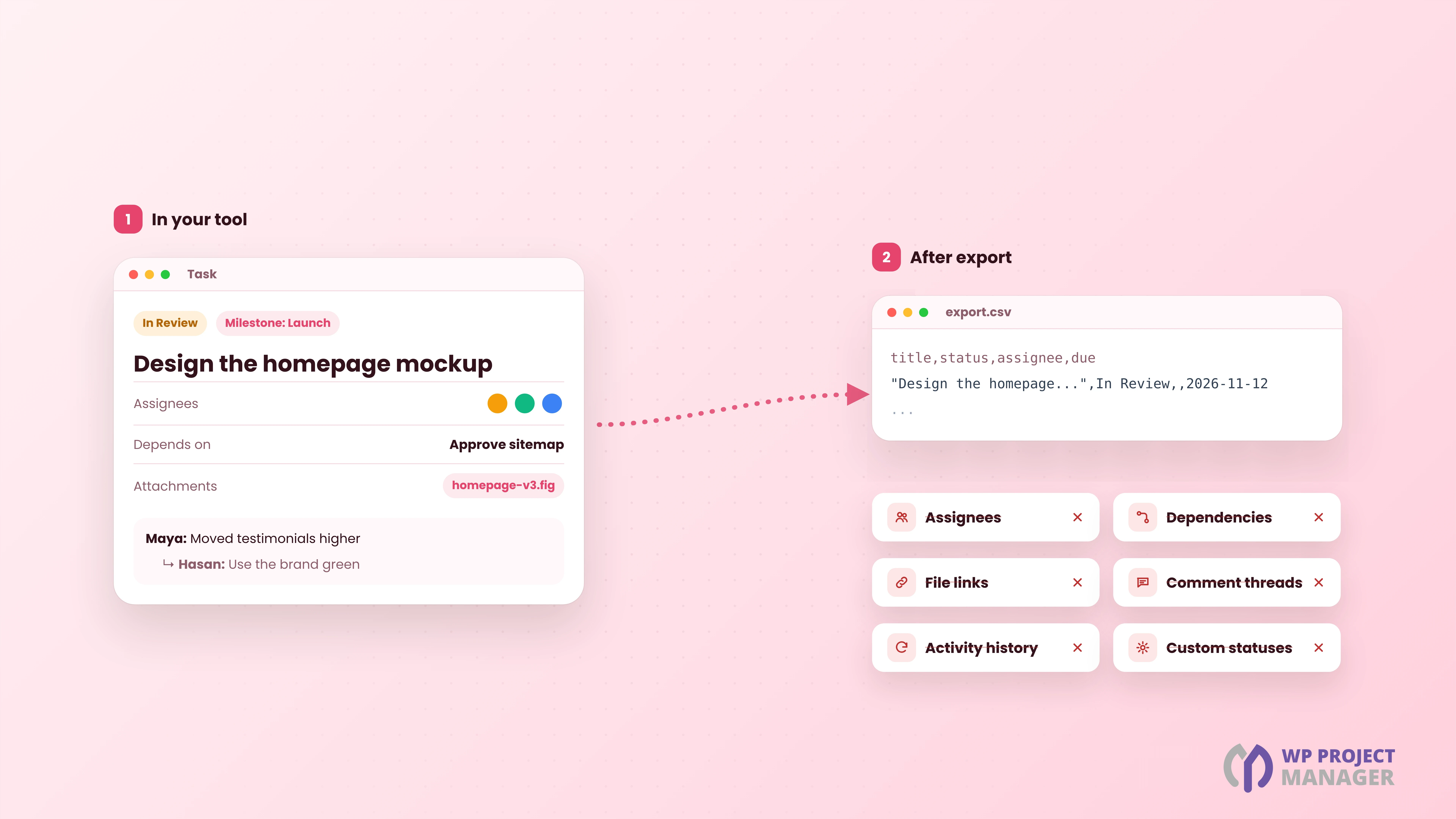
a. Tasks Lose Their Connections
In your tool, a task belongs to a list, a milestone, and a project, and it may depend on other tasks. In an export, it often becomes one row in a spreadsheet, with those links reduced to plain text or dropped.
b. Comments and History Get Flattened
Discussions, replies, mentions, and activity logs tell you why a decision was made. Many exports skip them or squash them into one long text field.
c. Files and Links Break
Attachments may be exported as links to the vendor's servers. When the service goes offline, those links stop working.
d. People and Permissions Don't Carry Over
Assignees, roles, client access, and team settings rarely survive an export. You have to rebuild them by hand in the new tool.
e. Your Workflow Disappears
Custom statuses, templates, recurring tasks, and automations are part of how your team works. They're usually not in the export at all.
Shutdowns Aren't the Only Risk
A full shutdown is the worst case, but there are other ways to lose control of your project data in a SaaS tool:
| Risk | What it means for your projects |
|---|---|
| Price increases | Per-user prices go up, and moving away becomes more expensive the longer you stay |
| Plan changes | A feature you rely on moves to a higher plan, or the free plan gets new limits |
| Acquisitions | A new owner changes the product, the terms, or the roadmap |
| Feature removals | Views, integrations, or exports you use are retired |
| Account problems | A failed payment or a policy issue locks your whole team out |
| Outages | When the vendor is down, your team can't see its tasks, even for an hour |
In all these cases, the same problem shows up: someone else controls the place where your work lives.
Warning Signs That a Tool May Be Shutting Down
Vendors rarely say "we're in trouble" in advance. But you can often spot the signs early:
- Slow or no updates: The changelog goes quiet for months.
- Fading support: Replies take longer, and the help docs stop changing.
- Sudden price or plan changes: Free plans shrink, or prices jump.
- A new owner: The company is bought, and the product's future is unclear.
- Staff changes: The founders or the core team leave.
- Pushes to another product: The vendor starts nudging you toward a different tool.
If you see two or more of these, start planning your exit before an announcement forces you to.
How to Protect Your Project Data Before It's Too Late
You don't need to panic, and you don't need to leave your tools tomorrow. A few simple habits make you safe whatever happens.
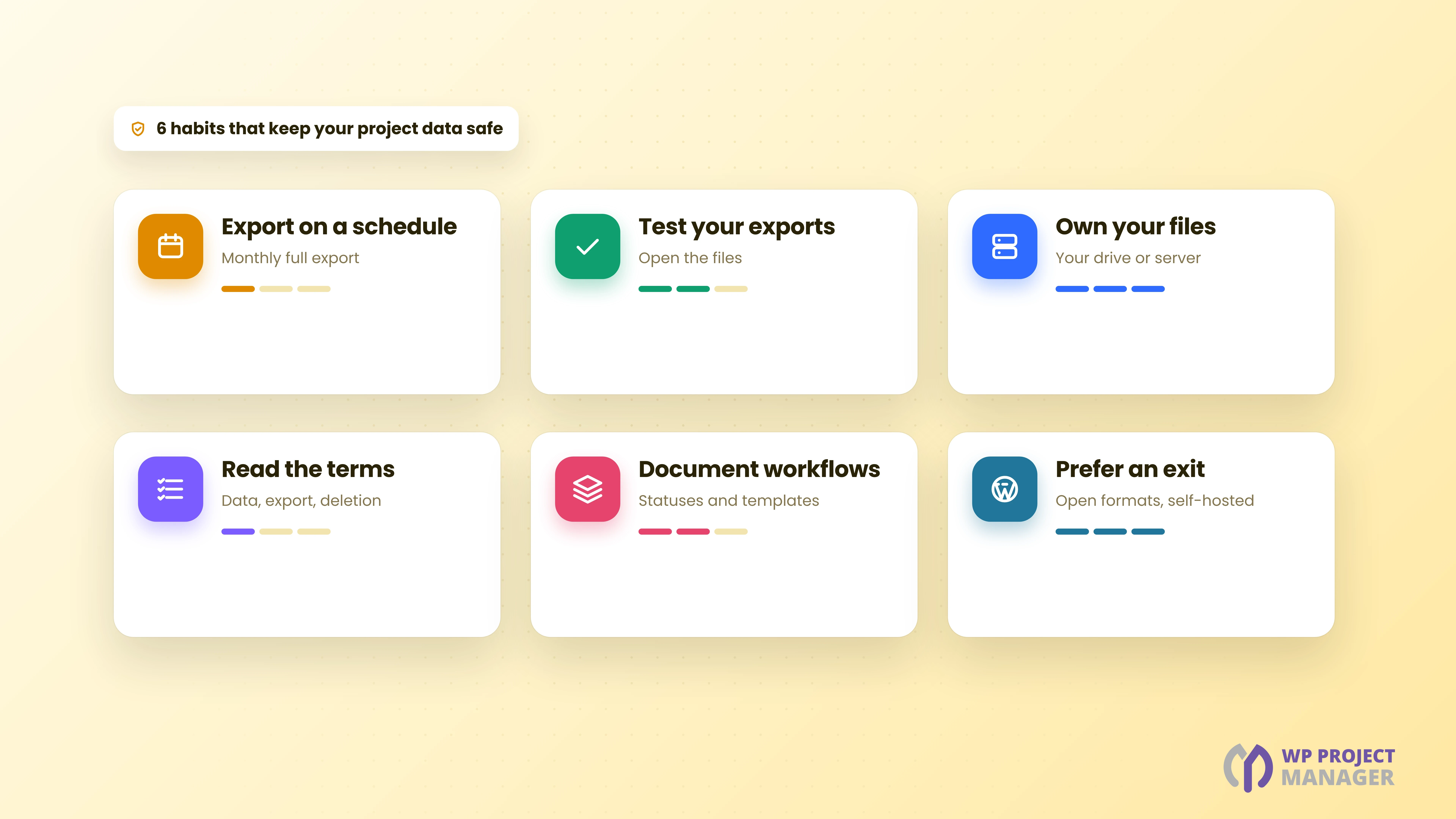
- Export on a schedule: Download a full export every month, and keep it somewhere you control.
- Test your exports: Open the files. Check that tasks, comments, and dates are really there.
- Keep files in storage you own: Store important documents in your own drive or server, and link them from tasks.
- Read the terms: Check who owns your data, how long you get to export it, and what happens after the account closes.
- Write down your workflow: Keep a short document of your statuses, templates, and recurring tasks, so you can rebuild them anywhere.
- Prefer tools with an exit: Choose tools that offer full exports, open formats, or a self-hosted option.
Your Checklist If a Tool Announces a Shutdown
If the email has already arrived, here's what to do, in order:
| # | Step | Why it matters |
|---|---|---|
| 1 | Note the key dates | Write down the read-only date, the last export date, and the deletion date |
| 2 | Export everything now | Don't wait for the last week, when servers are busy and support is slow |
| 3 | Download all attachments | File links in the export will break after the shutdown |
| 4 | Save comments and history | Export or copy the discussions behind important decisions |
| 5 | List your users and roles | You'll need them to set up the new tool |
| 6 | Choose the new tool | Pick one you can trust for years, not just months |
| 7 | Import and check | Move active projects first, then archive old ones |
| 8 | Update your links | Fix links in docs, emails, and other apps that pointed to the old tool |
SaaS vs Self-Hosted Project Management: Who Owns Your Data?
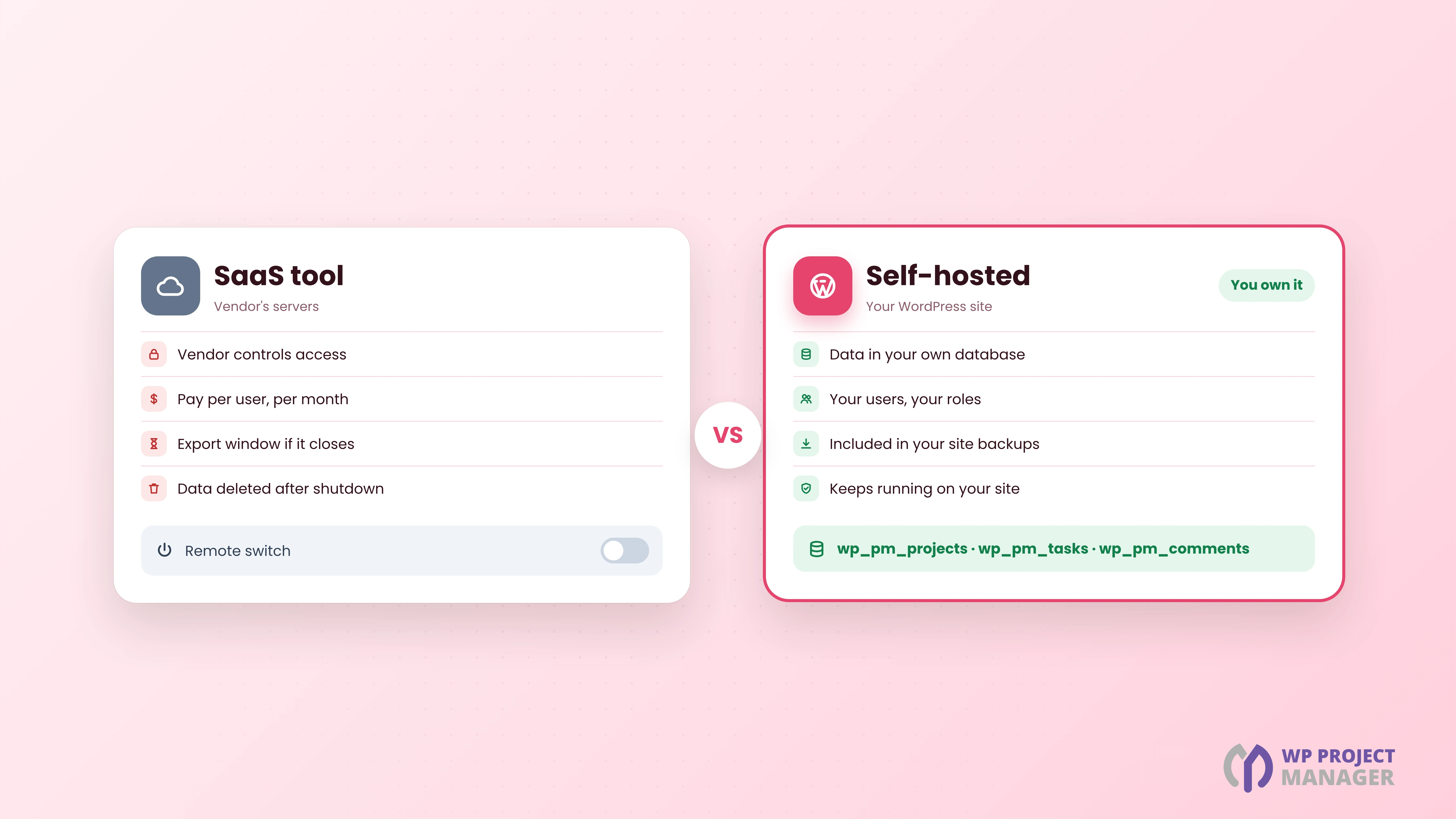
The real question is where your data lives. Here's how a SaaS tool compares with a self-hosted tool, such as a WordPress plugin on your own site:
| SaaS tool | Self-hosted (WordPress plugin) | |
|---|---|---|
| Where data lives | On the vendor's servers | In your own WordPress database |
| If the vendor shuts down | You get an export window, then deletion | The plugin keeps running on your site |
| Backups | Up to the vendor | Part of your normal site backups |
| Pricing | Usually per user, per month | Free core, optional one-time or yearly Pro |
| Access | Vendor accounts and plans | Your WordPress users and roles |
| Your setup work | None | You keep WordPress and the plugin updated |
Self-hosting isn't free of work. You need to keep WordPress updated and take backups. But you're in control, and that's exactly what a shutdown takes away.
Why WP Project Manager Keeps Your Projects Safe
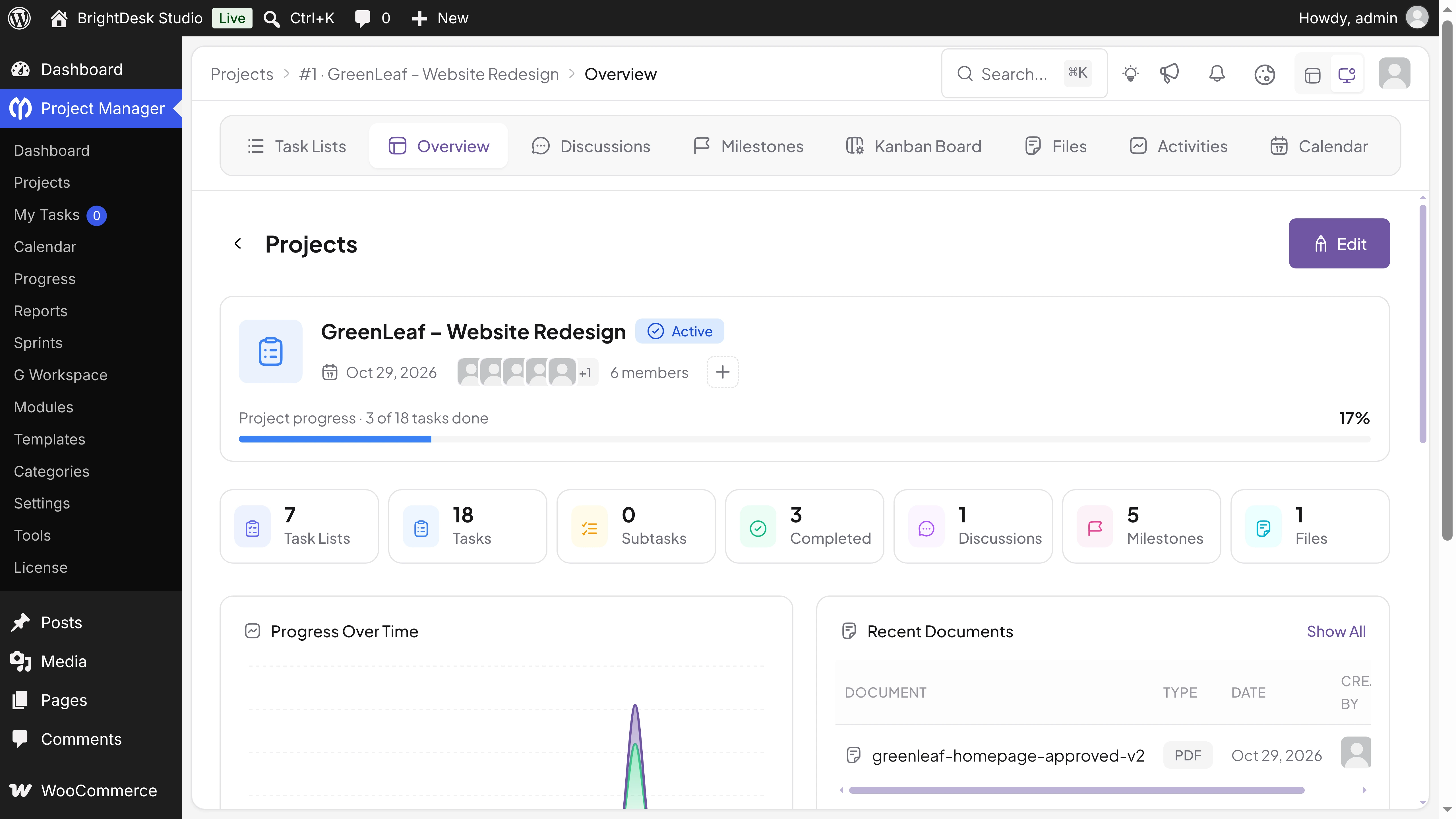
If you already run a WordPress site, you don't need to rent a home for your projects. WP Project Manager turns your WordPress dashboard into a full project management tool, and every piece of data stays on your own site.
1. Your Data Lives in Your Own Database
Projects, tasks, comments, milestones, and files are stored in your WordPress database and media library, on your server. No outside company can delete them or lock you out.
2. It Keeps Working, Whatever Happens
WP Project Manager is installed on your site. Even in the unlikely case that development stopped one day, the plugin you have would keep running, and your data would stay where it is. There's no remote switch that turns it off.
3. It's Open Source
The free plugin is open source and listed on WordPress.org. Its code is public, so you're never tied to a black box.
4. Your Backups Cover Your Projects
Because your projects live in WordPress, your usual site backups already include them. Restore your site, and your projects come back with it.
5. A Long Track Record
WP Project Manager has been on WordPress.org for 14 years. In 2026, it got a full revamp and has shipped regular updates since, up to version 4.1.2.
6. Everything Your Team Needs, Without Per-User Fees
The free version includes unlimited projects and tasks, AI project creation, a Kanban board, calendars, discussions, file sharing, and Google Drive. Pro adds Gantt charts, time tracking, invoices, templates, sprints, and more. You don't pay extra for each new team member.
7. An Easy Way to Move In from Trello
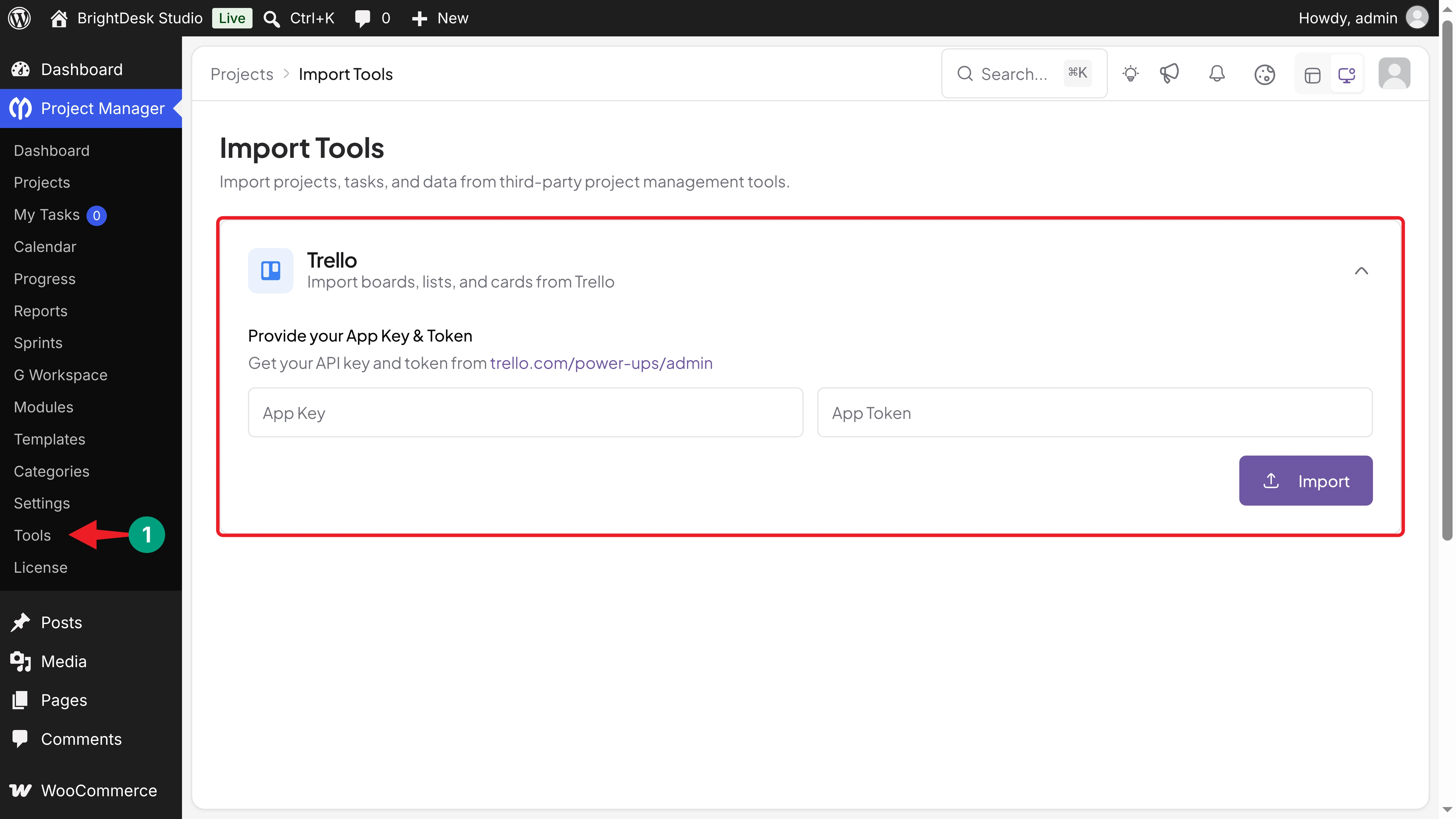
Leaving a SaaS tool is easier when you can bring your work with you. Under Project Manager > Tools, the Import Tools page lets you import boards, lists, and cards from Trello with your Trello App Key and Token.
FAQ on SaaS Shutdowns and Your Data
In this section, we have answered some frequently asked questions about what happens to your data when a SaaS tool shuts down.
Do SaaS companies have to give me my data before they shut down?
It depends on their terms of service and the laws where you live. Most reputable vendors offer an export window, but its length varies. Check your vendor's terms now, not after an announcement.
How much notice do users usually get?
It varies a lot. Wunderlist users got about five months. Some smaller tools give only a few weeks.
Is my data deleted right after a shutdown?
Often, yes. Google deleted all Jamboard data on the day the app was discontinued. Pocket deleted accounts when its export window ended.
What format do project exports usually come in?
Usually CSV or JSON files in a ZIP. They hold your tasks and dates, but often lose comments, attachments, and the links between items.
Is self-hosted project management safe?
Yes, if you keep it up to date. Use a trusted plugin, update WordPress and your plugins regularly, and take automatic backups.
Can I move from a SaaS tool to WP Project Manager?
Yes. WP Project Manager can import boards, lists, and cards from Trello. For other tools, you can start fresh with AI project creation or templates and move your active projects over.
Final Thoughts!
When a SaaS tool shuts down, you don't lose only an app. You can lose years of tasks, decisions, and files, or spend weeks moving them on someone else's deadline.
You can't stop a vendor from closing its doors. But you can choose where your project data lives. Export regularly, keep your files in storage you control, and for your projects, consider a tool that runs on your own site. WP Project Manager gives you a modern project management tool inside WordPress, with your data in your hands.
- Learn how to set up WP Project Manager for a WordPress agency.
- Check how to create a project plan with AI in WordPress.
If you have any questions, mention them in the comment box below. Thanks for being with us till the end.