

How to Configure Task Type in WP Project Manager
Task Type is a new powerful feature that has been recently added to the free version of WP Project Manager. With this feature, you can manage your tasks more efficiently.
You can specify your tasks and subtasks more accurately. That way it will be easier to differentiate tasks for all the departments.
Creating Task Type
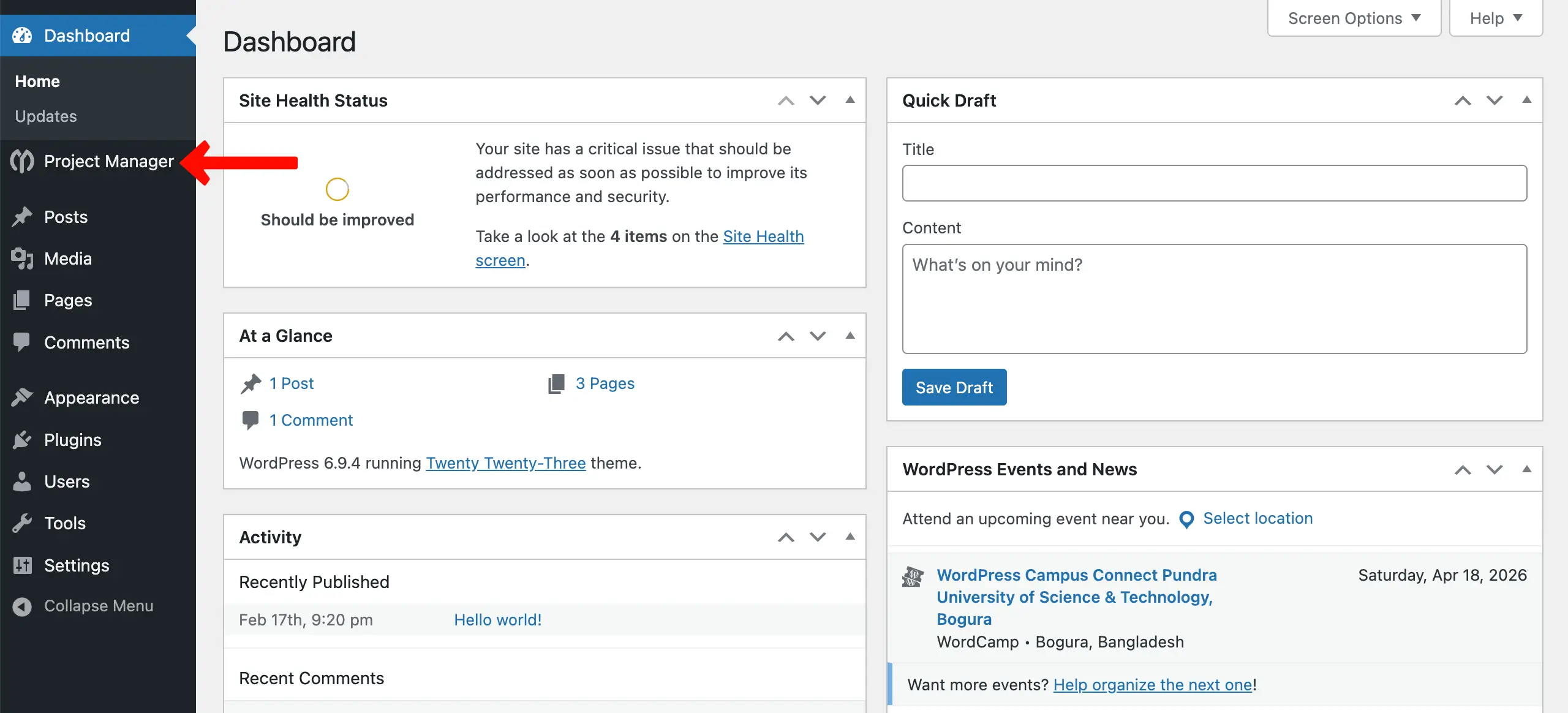
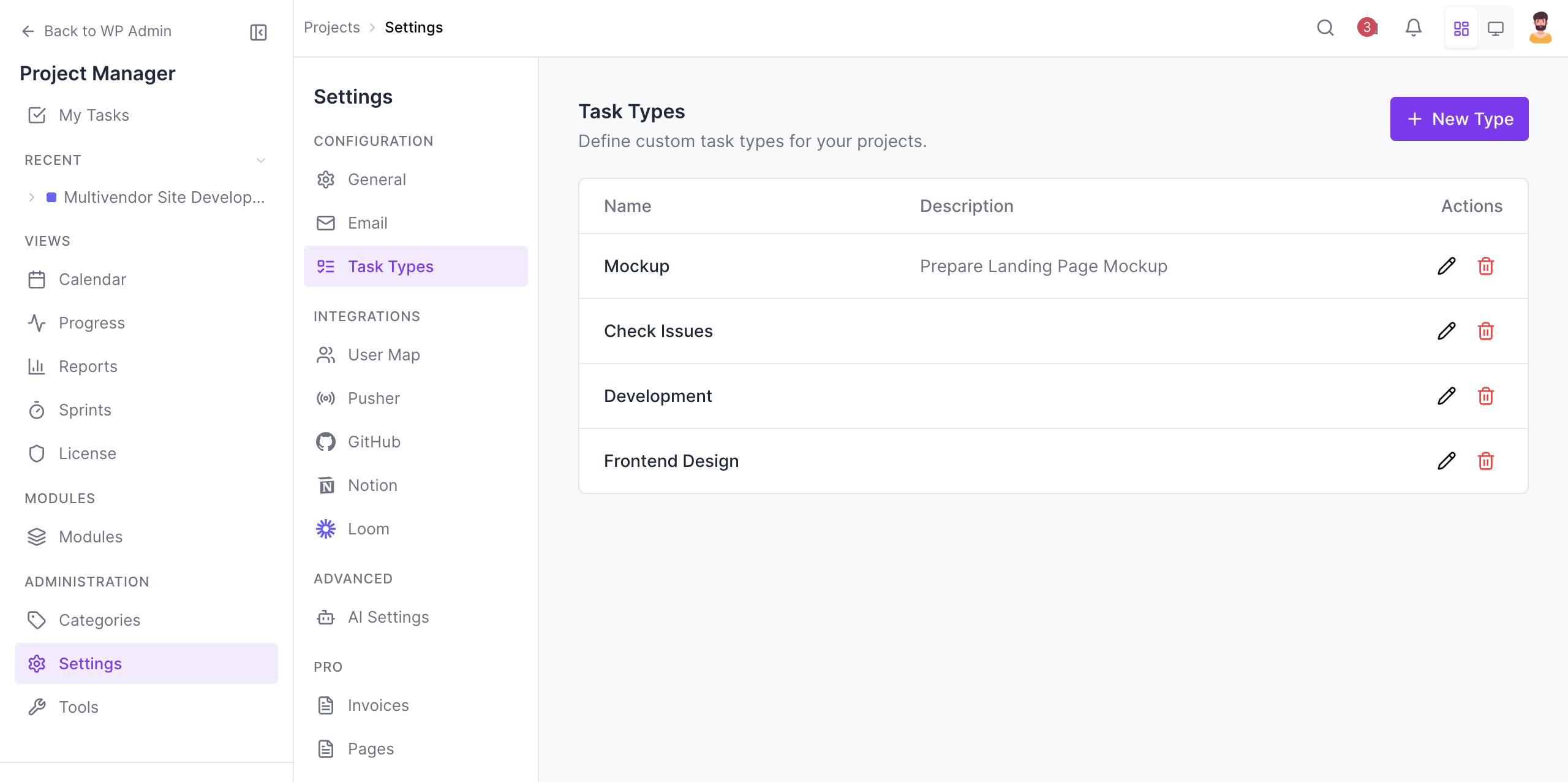
To create a Task Type, navigate to the WordPress Admin Dashboard > Project Manager.
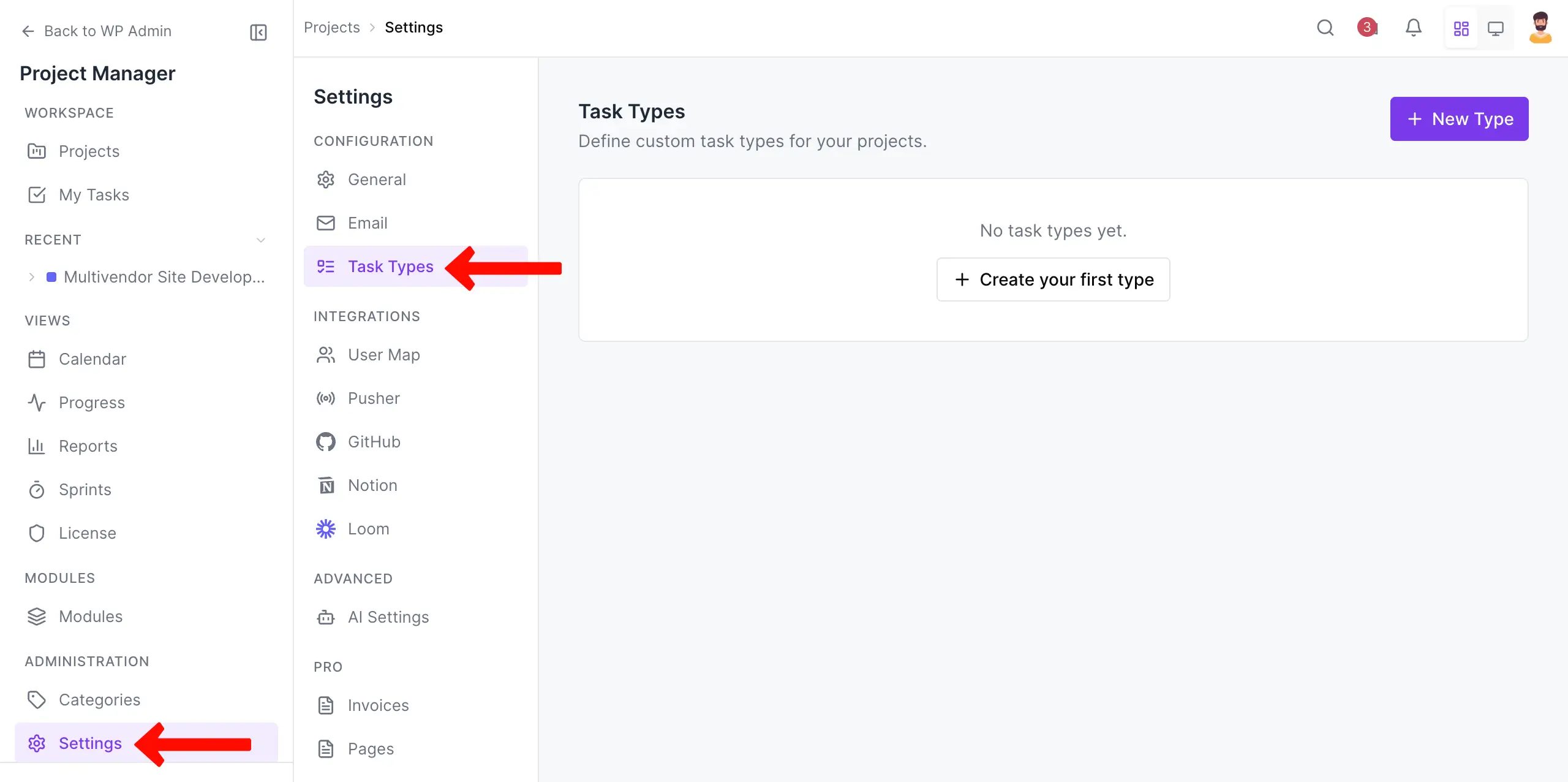
Navigate to Settings > Task Type on the right sidebar.
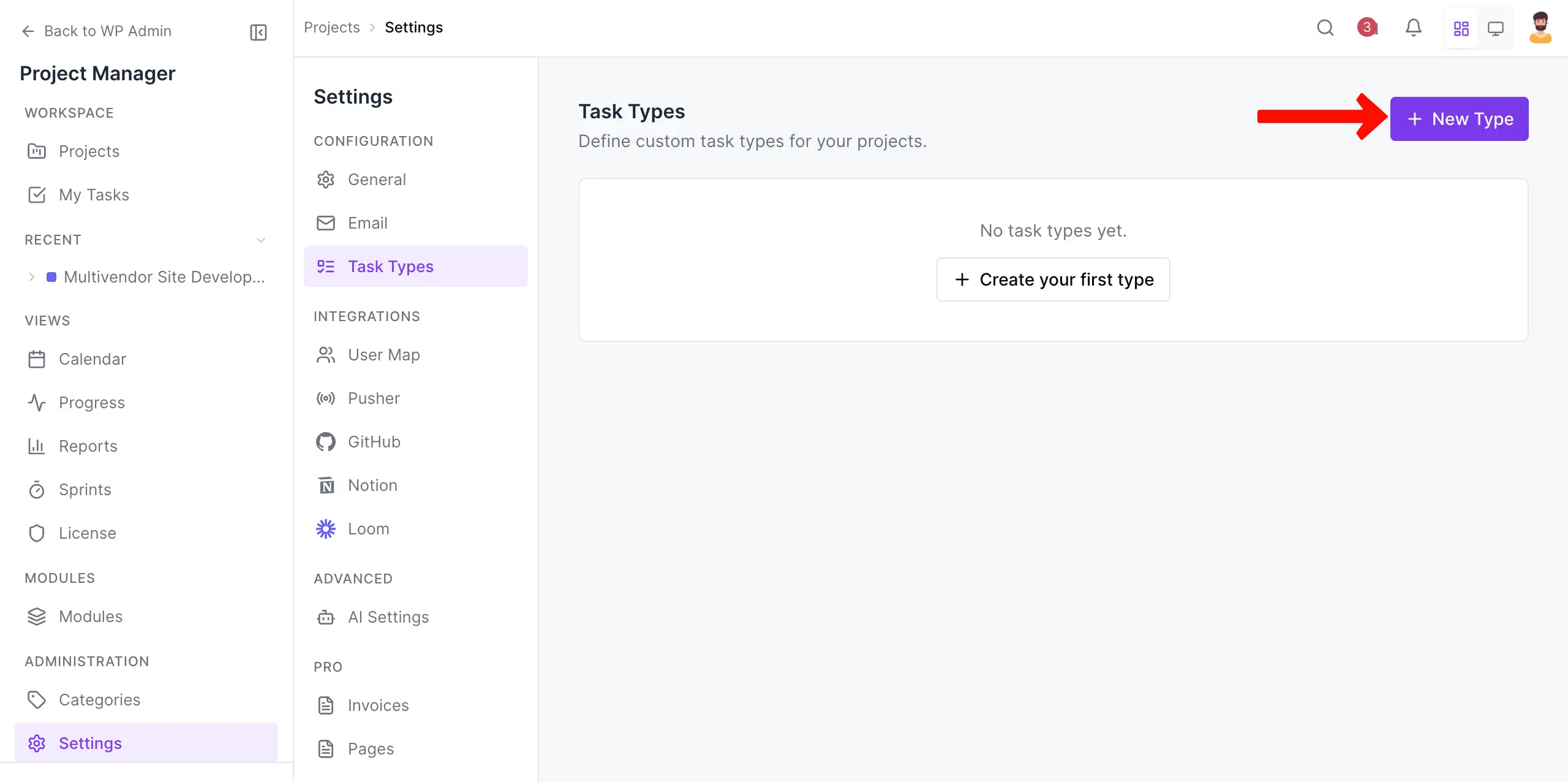
Click the + New Type button in the top-right corner.
Here, you need to write the Type Name and add a Description (Optional). Then click the Create Type button to finish the process.
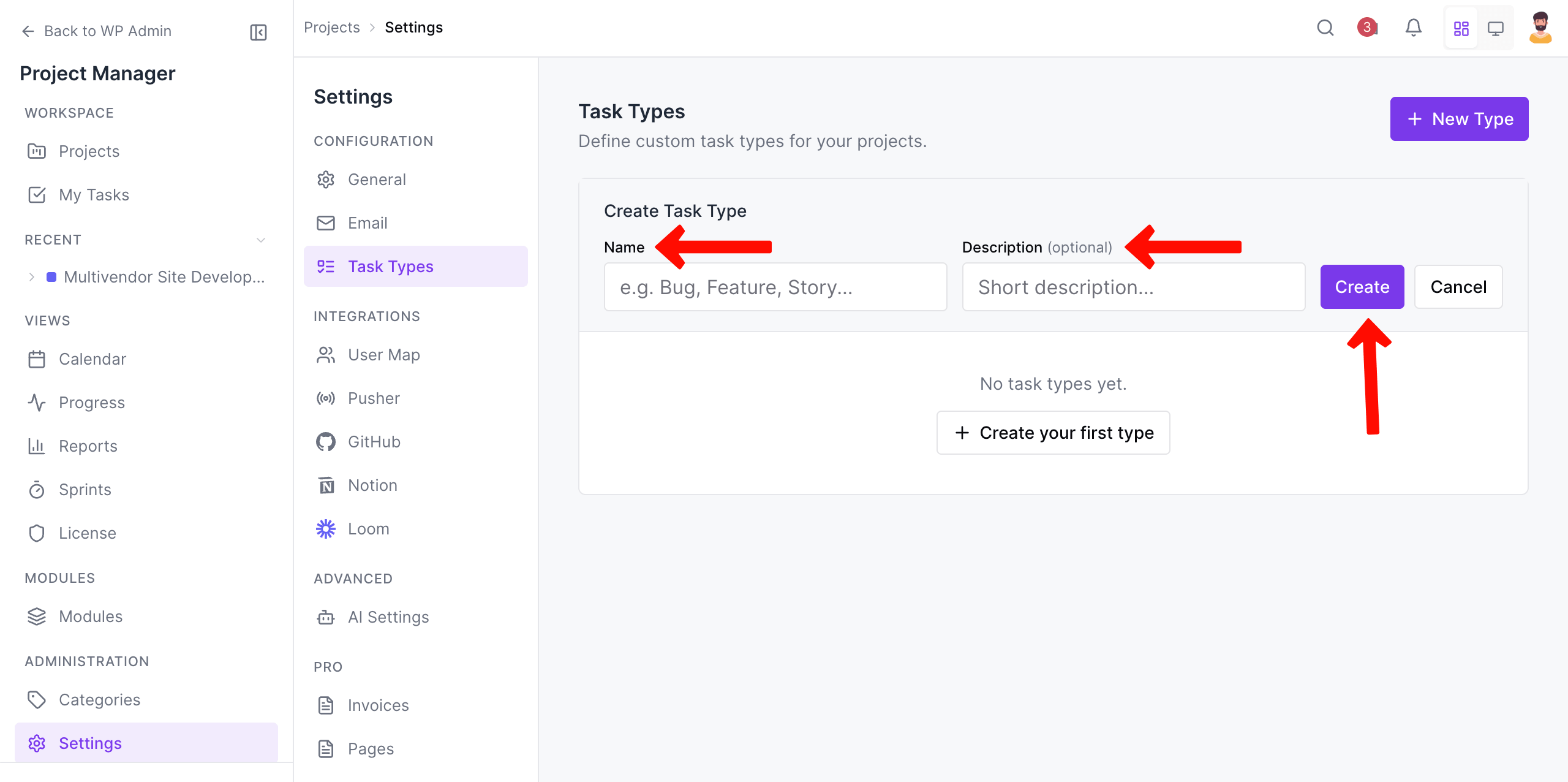
In this way, create as many task types as you want.
Adding Task Types in Your Tasks and Subtasks
So after creating the type, you need to add this to your tasks & subtasks. Here's how to do that.
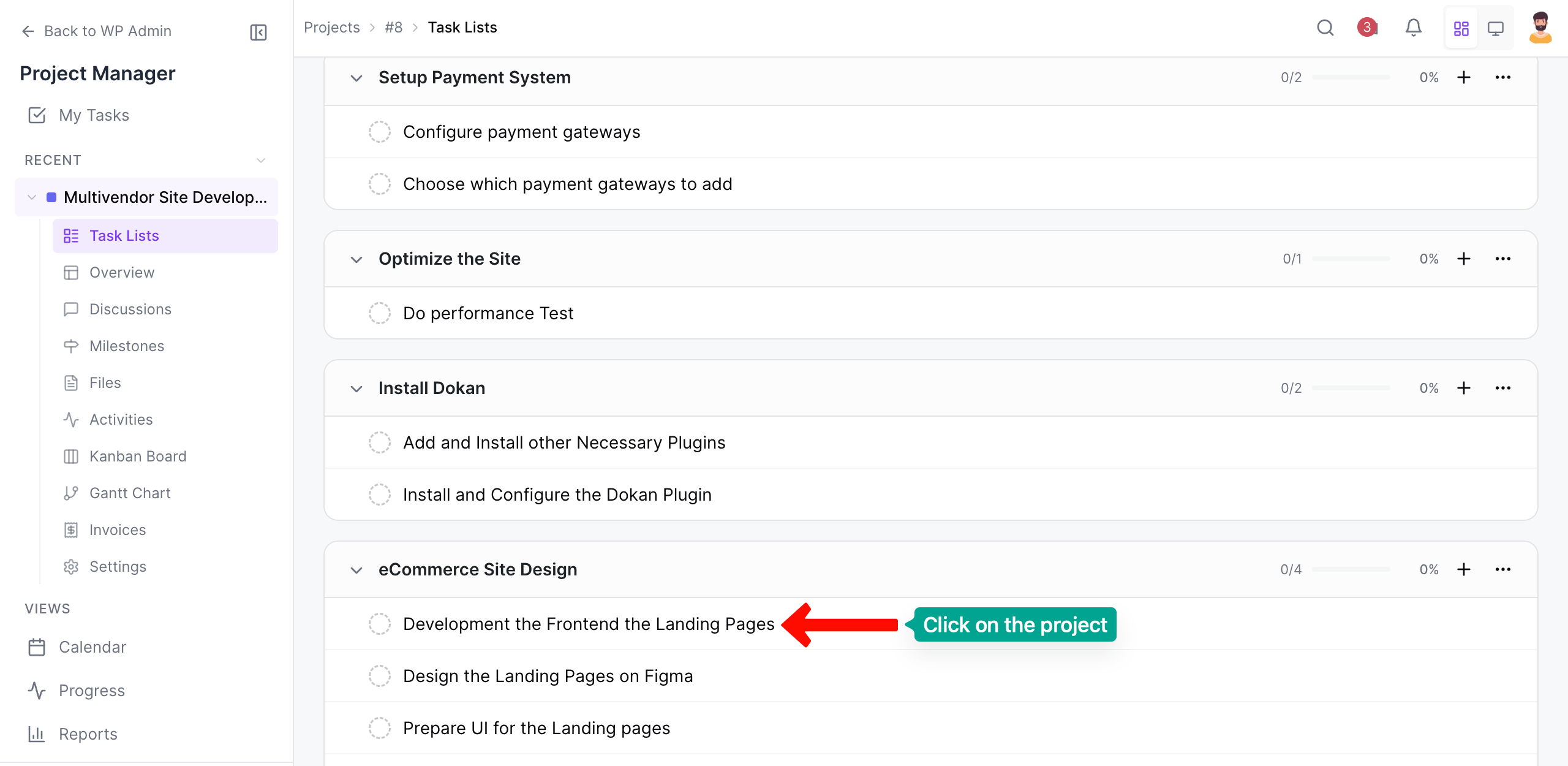
To do this, first of all, navigate to your existing tasks. Next, click on any particular task you want.
Come to the Type section. Click on the Add Type button. A list of task types will show up. Choose the type you want for the task.
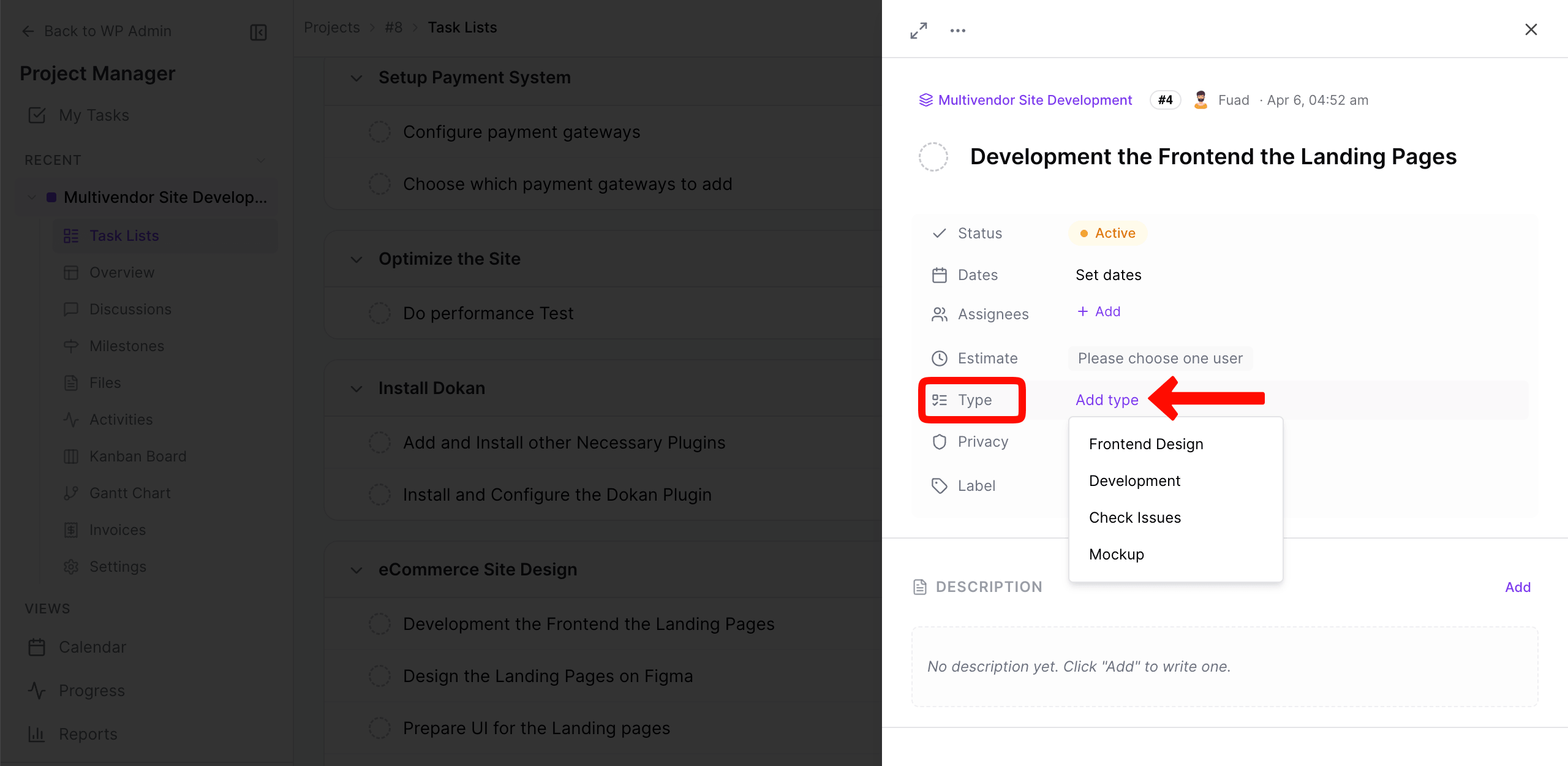
And finally, you're done. That's it!
